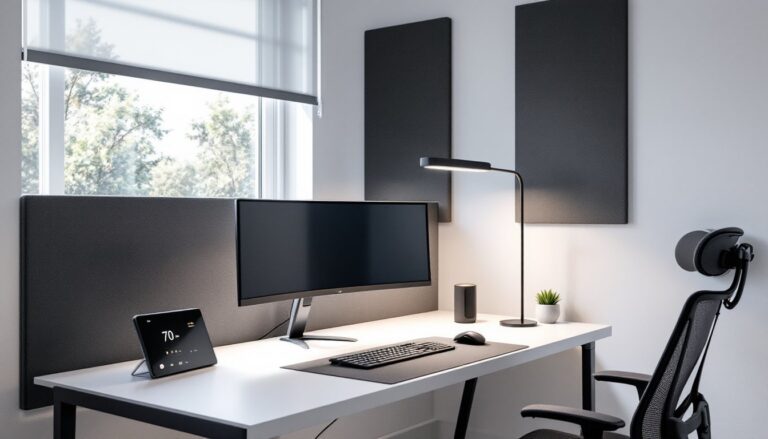

Tall individuals know the frustration well: hunching over a desk, knees jammed against the underside, lower back screaming after a few hours in a chair built for someone six inches shorter. Standard office chairs are designed around average human dimensions, roughly 5’7″ to 5’9″, which means anyone over 6’2″ is left literally and figuratively unsupported. Finding an office chair that accommodates longer legs, a taller torso, and proportional weight distribution isn’t just about comfort. It’s about preventing chronic pain, maintaining proper posture, and staying productive through long work sessions without needing to stand every twenty minutes.
Table of Contents
ToggleKey Takeaways
- Standard office chairs designed for average heights cause poor posture, lower back pain, and circulation problems for tall users—an office chair for tall people must offer seat heights of 21-22 inches and backrests extending to mid-shoulder blade level.
- Essential features like adjustable seat depth (2-3 inches of travel), customizable lumbar support, and weight capacity of 300+ pounds prevent chronic pain and ensure long-term comfort for users over 6’2″.
- Premium options like Herman Miller Aeron Size C and Steelcase Leap V2 deliver excellent ergonomics for tall individuals, while budget-friendly alternatives like HON Ignition 2.0 and Autonomous ErgoChair Pro offer solid performance at lower price points.
- Proper chair adjustment—including seat height positioning, lumbar curve alignment, armrest height, and monitor positioning—transforms any tall-friendly chair into an all-day comfortable workspace solution.
- Test chairs in person when possible or choose retailers with comprehensive return policies, as what fits on paper may not suit a particular tall body frame.
Why Standard Office Chairs Fail Tall Users
Most office chairs on the market are designed with a seat height range of 16 to 20 inches and a backrest that tops out around 20 to 22 inches from the seat pan. That’s adequate for someone of average height, but for a 6’3″ user, it creates multiple points of failure.
First, the seat height. When a tall person sits in a standard chair adjusted to its maximum height, their knees often still sit higher than their hips, a position that tilts the pelvis backward, flattens the lumbar curve, and loads the lower back improperly. The American Chiropractic Association notes that improper seated posture is a leading cause of lower back pain in office workers.
Second, seat depth becomes a problem. Standard chairs typically offer 15 to 18 inches of seat depth. For someone with a 36-inch inseam, that means either the backrest doesn’t reach the lower back (if they sit all the way back), or the seat edge digs into the back of the knees (if they scoot forward). Both scenarios cut off circulation and create pressure points.
Third, backrest height. A 5’9″ person’s shoulder blades might align nicely with a 22-inch backrest. A 6’5″ user? Their mid-back gets support, but their upper back and shoulders are left hanging. Over time, this encourages slouching and forward head posture, the classic “tech neck” that leads to tension headaches and shoulder pain.
Weight capacity also matters. Taller individuals often weigh more simply due to frame size and proportional muscle mass. Many budget chairs are rated for 250 pounds or less, which may not provide adequate margin for a 6’4″, 240-pound user who leans back or shifts weight during the day. The result: worn-out gas cylinders, cracked plastic components, and a chair that sags within a year.
Essential Features to Look for in Office Chairs for Tall People
Not every “ergonomic” chair fits a tall frame. Here’s what actually matters when shopping for a chair that won’t leave someone folded up like a lawn chair.
Seat Height and Depth Adjustability
Seat height should adjust to at least 21 to 22 inches from the floor, higher if someone’s over 6’4″. This allows the feet to rest flat on the floor (or on a footrest) while maintaining a 90 to 110-degree angle at the knees and hips. Some heavy-duty task chairs and big-and-tall models offer seat heights up to 24 inches, which is ideal for users 6’6″ and above.
Seat depth adjustment is just as critical. Look for chairs with a sliding seat pan that offers at least 2 to 3 inches of forward/backward travel. The goal: 2 to 4 inches of clearance between the back of the knees and the front edge of the seat when sitting all the way back against the lumbar support. This prevents circulation issues and keeps weight distributed evenly across the thighs.
Some chairs use a “waterfall edge” on the seat front, a gentle downward curve that reduces pressure on the underside of the thighs. It’s a nice feature but not a substitute for proper seat depth.
Backrest Height and Lumbar Support
A backrest should extend to at least the mid-shoulder blade level, typically 24 to 28 inches from the seat pan for tall users. High-back and executive-style chairs often provide this, though not all are adjustable. A fixed-height backrest is fine if it’s tall enough: adjustable backrests offer more flexibility for households or offices where multiple people use the same chair.
Lumbar support is non-negotiable. The lumbar curve sits roughly 6 to 9 inches above the seat pan for most people, but taller individuals often need that support positioned higher. Adjustable lumbar mechanisms, either a dial, a sliding pad, or an inflatable bladder, let users fine-tune the position to match their spine’s natural curve. Mesh-back chairs can provide dynamic lumbar support that flexes with movement, though some users prefer the firm, localized pressure of a padded lumbar cushion.
Weight capacity for tall users should be 300 pounds or higher. Even if someone weighs less, a higher rating usually means beefier components: thicker steel frames, Class 4 gas cylinders (rated for more lift cycles), and reinforced seat pans. It’s a proxy for overall build quality.
Top Office Chair Picks for Tall Individuals
Finding comfortable office chairs designed for taller frames narrows the field considerably. Here are a few models that consistently earn high marks from users over 6’2″.
Herman Miller Aeron (Size C) remains a favorite among tall users, though it’s pricey. The Size C variant accommodates users up to 6’7″ and 350 pounds, with a seat height range of 16.75 to 20.75 inches and a mesh back that extends well past the shoulder blades. The PostureFit SL lumbar system adjusts independently for sacral and lumbar support. Expect to pay $1,400 to $1,800 new, though certified refurbished units often run $700 to $900.
Steelcase Leap V2 offers excellent adjustability across the board: seat depth slider, adjustable lumbar height and firmness, and a 4-way adjustable armrest system. The high-back version provides a 27-inch backrest. It’s rated for users up to 6’6″ and 400 pounds with the optional heavy-duty cylinder. Pricing typically runs $900 to $1,200.
For those working with a tighter budget, the HON Ignition 2.0 provides solid performance in the $400 to $500 range. It includes seat depth adjustment, a mesh back with adjustable lumbar support, and a weight capacity of 300 pounds. The backrest height tops out at 26 inches, and the seat adjusts to 21 inches, adequate for most users up to 6’4″.
Many experts reviewing office chairs for home environments emphasize the importance of trying before buying, especially for taller users. If that’s not possible, verify the return policy covers assembly and shipping both ways. A chair that looks great on paper may still not fit a particular body.
Autonomous ErgoChair Pro is a direct-to-consumer option in the $400 range that’s gained traction for taller users. It features a mesh back with adjustable lumbar, seat depth slider, and a seat height up to 21.5 inches. Build quality doesn’t match Herman Miller or Steelcase, but it’s a reasonable middle ground for home offices. Weight capacity is listed at 300 pounds.
Some design-conscious buyers lean toward chairs that balance aesthetics and ergonomics, as highlighted in roundups of stylish yet comfortable seating. But for tall users, function must come first. A gorgeous mid-century modern chair is useless if the backrest stops at the middle of the shoulder blades.
How to Properly Adjust Your Office Chair for Maximum Comfort
Buying the right chair is only half the job. Proper adjustment makes the difference between all-day comfort and a sore back by noon.
Start with seat height. Sit all the way back in the chair with feet flat on the floor. Thighs should be roughly parallel to the floor or angled slightly downward (a 100 to 110-degree hip angle is ideal). If the desk is too low for this position, raise the chair and use a footrest. Dangling feet or knees higher than hips both cause problems.
Next, adjust seat depth. Slide the seat pan (if the chair has this feature) so there’s 2 to 4 inches of space between the back of the knees and the seat edge. Some people can fit a closed fist in that gap: others need a bit less. The key: no pressure on the back of the knees.
Set the lumbar support height so the curve of the backrest aligns with the natural inward curve of the lower back, usually at belt level or just above. If the chair has a depth or firmness adjustment, start with a moderate setting and tweak from there. Too much lumbar pressure can be as uncomfortable as too little.
Armrests should allow the shoulders to relax naturally, with elbows bent at 90 to 100 degrees when typing. If armrests are too high, they shrug the shoulders up and create neck tension. Too low, and they’re useless. Many tall users find they need to raise armrests to their maximum height or remove them entirely if they can’t adjust high enough.
Backrest angle is a matter of preference. A slightly reclined position (100 to 110 degrees from seat to backrest) takes pressure off the lower back. Lock the tilt if that’s comfortable, or leave it free-floating if the chair has a synchro-tilt mechanism. Heavy users may need to increase the tilt tension so the chair doesn’t rock backward too easily.
Finally, monitor height matters as much as chair height. The top of the screen should sit at or slightly below eye level to avoid tilting the head up or down. For tall users, this often means a monitor arm or a tall stack of risers. A properly adjusted chair loses its benefit if someone’s craning their neck to see the screen.
Conclusion
Tall individuals don’t need to settle for chairs that leave them hunched, cramped, or uncomfortable. Prioritizing seat height and depth adjustability, a tall backrest with proper lumbar support, and a robust weight capacity makes all the difference. Testing chairs in person when possible, or buying from retailers with solid return policies, reduces the risk of an expensive mistake. With the right chair and proper adjustment, even a 6’6″ user can work all day without that familiar ache between the shoulder blades.