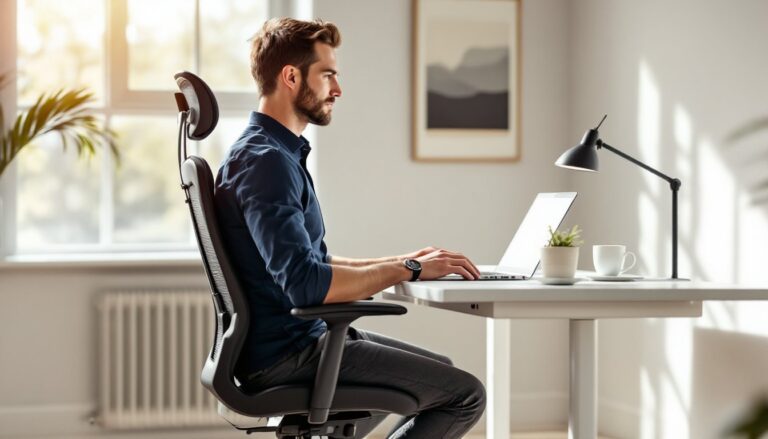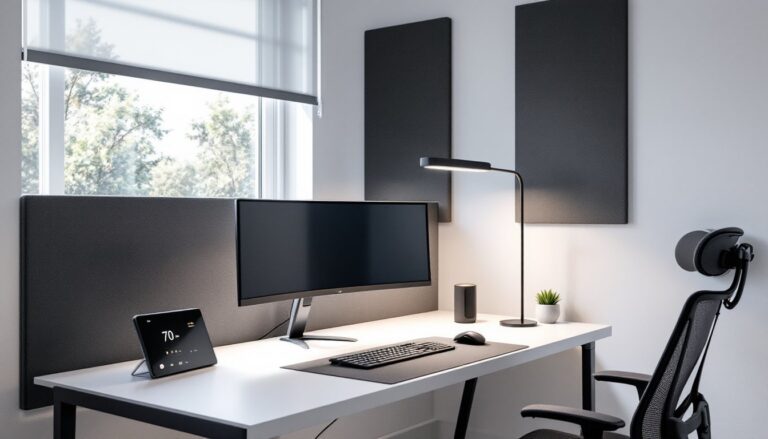
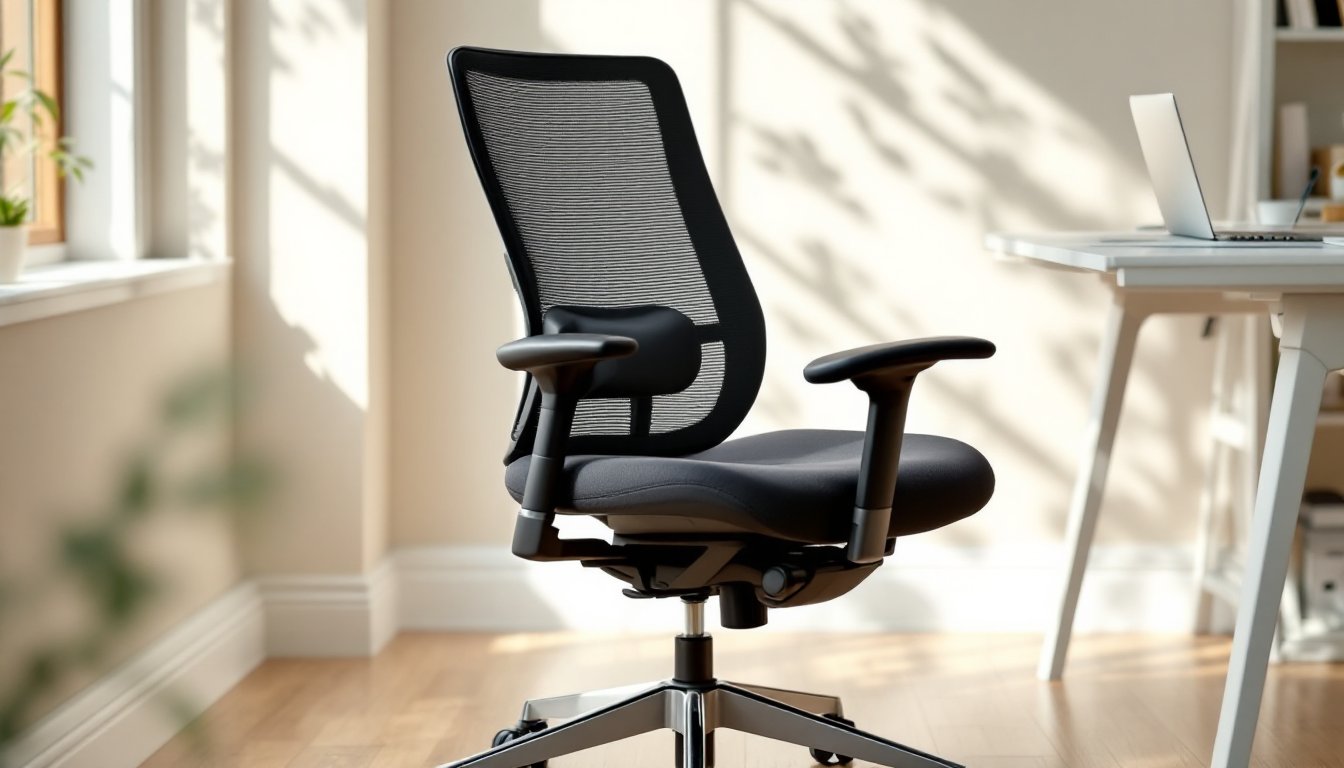
Finding the right office chair for a home workspace isn’t just about comfort, it’s about protecting the spine, maintaining focus, and getting through an eight-hour day without back pain or numbness. The market is flooded with options, from budget mesh chairs to high-end ergonomic models that cost as much as a decent used couch. This guide cuts through the noise, focusing on what actually matters: lumbar support, adjustability, build quality, and how different chairs serve different work habits and budgets. Whether someone’s working full-time from a spare bedroom or squeezing in a few hours at the kitchen table, the right chair makes a measurable difference.
Table of Contents
ToggleKey Takeaways
- The best office chair for home combines lumbar support, adjustable seat height, and proper armrests to prevent back pain and maintain focus during long work sessions.
- Budget-friendly chairs under $300 like the HON Ignition 2.0 and Alera Elusion deliver solid ergonomic features without premium prices, making them ideal for part-time home office setups.
- Premium chairs such as the Herman Miller Aeron and Steelcase Leap V2 justify their higher cost through advanced adjustability, durability warranties up to 12 years, and support for 6+ hour daily work sessions.
- Mesh backrests and high-density foam (at least 2.0 lb/ft³) outperform cheaper materials by resisting sagging and heat buildup over time, particularly important for warm climates.
- BIFMA certification and a weight capacity rating of 250–300+ pounds are reliable indicators of durability and safety; anything less than a 3-year warranty on mechanisms is a red flag.
- Match casters to your floor type—hard casters for carpet, soft rubber or polyurethane for hardwood or tile—to protect your flooring and improve chair mobility in your home office.
What Makes a Great Home Office Chair?
A great home office chair does more than hold someone upright, it supports proper posture, reduces strain on the lower back, and adjusts to the user’s body. The defining characteristics start with lumbar support: a contoured backrest or adjustable cushion that cradles the natural curve of the spine. Without it, the lower back muscles overwork, leading to fatigue and discomfort within hours.
Seat depth is another critical factor. A seat that’s too deep forces shorter users to perch forward, losing back support. Too shallow, and taller users end up with thighs unsupported. Quality chairs offer a sliding seat pan or at least come in multiple sizes. Seat height should allow feet to rest flat on the floor with knees at a 90-degree angle, standard pneumatic cylinders adjust from roughly 16 to 21 inches, but check specs if someone is significantly taller or shorter than average.
Armrests should adjust in height and, ideally, width. Fixed armrests either force shoulders up (causing neck tension) or offer no support at all. Look for armrests that let the elbows rest at a right angle while typing, without lifting the shoulders or slouching. Some premium models add depth and pivot adjustments, which are useful but not essential for most home setups.
Weight capacity and durability matter more than marketing emphasizes. A chair rated for 250 pounds might physically hold more, but the mechanisms, gas cylinder, tilt mechanism, casters, will wear faster under heavier loads. Most mid-range chairs are rated for 250–300 pounds: heavy-duty models go up to 400 pounds or more. Metal frames outlast plastic, and Class 4 gas cylinders (BIFMA-certified) are the standard for safety and longevity.
Top Features to Look for in a Home Office Chair
Ergonomic Support and Adjustability
Ergonomics isn’t a buzzword, it’s the science of fitting the workspace to the body, not the other way around. An ergonomic chair should offer adjustable lumbar support (height and depth), seat height adjustment via pneumatic cylinder, and a tilt mechanism that lets the backrest recline without the seat sliding forward. The most common tilt type is synchro-tilt, where the backrest reclines at a 2:1 ratio compared to the seat, keeping the user’s feet grounded.
Some chairs include tilt tension control, a knob that adjusts how much force it takes to recline. This is useful for lighter users who don’t want the chair to feel like a stiff plank, or heavier users who want more resistance. A tilt lock lets someone lock the chair upright for tasks requiring forward focus, like writing or detailed drafting.
Headrests are optional for most users but critical for anyone prone to neck strain or who leans back during calls. They should adjust in height and angle to support the base of the skull without pushing the head forward. Those working in a home office setup that includes dual monitors or frequent video calls will appreciate a headrest that supports neutral neck positioning.
Armrests with 4D adjustment (height, width, depth, pivot) are a premium feature but make a real difference for side typists or anyone who switches between keyboard and mouse work frequently. If budget allows, prioritize adjustable armrests over flashy upholstery.
Material and Build Quality
Materials determine how a chair feels after year two, not day two. Mesh backrests offer breathability and conform to the spine, making them ideal for warm climates or long sessions. But, cheaper mesh sags over time, look for reinforced elastomeric mesh or a tensioned system. Foam and fabric seats are comfortable initially but can compress and trap heat. High-density foam (at least 2.0 lb/ft³ density) holds up better than standard padding.
Leather and leatherette look professional but require maintenance. Genuine leather breathes better than vinyl or PU leather, but both will crack or peel with heavy use, especially in dry or sun-exposed rooms. For durability and ease of cleaning, commercial-grade fabric or mesh edges out faux leather.
The frame material should be steel or reinforced nylon, not hollow plastic. Check the base: a five-point star base is the standard for stability. Casters should match the floor type, hard casters for carpet, soft rubber or polyurethane casters for hardwood or tile to prevent scratching. Some ergonomic office essentials include chair mats, but quality casters reduce the need.
BIFMA certification (Business and Institutional Furniture Manufacturers Association) is a good indicator that a chair has passed standardized tests for stability, durability, and safety. It’s not mandatory, but it’s a useful shorthand when comparing models. Manufacturers often list weight capacity and warranty details, anything less than a 3-year warranty on the mechanism is a red flag.
Best Office Chairs for Different Home Setups
Budget-Friendly Options Under $300
Affordable doesn’t have to mean uncomfortable. Several chairs under $300 offer solid ergonomic features without the premium price tag. The HON Ignition 2.0 (typically $250–$280) delivers synchro-tilt, adjustable lumbar support, and breathable mesh. It’s a common choice in corporate offices and holds up well for daily use. The seat depth isn’t adjustable, but the overall build quality is a step above typical big-box store options.
Another solid pick is the Alera Elusion (around $230–$260), which features a mesh back, adjustable arms, and a thick cushioned seat. It’s heavier and bulkier than the HON, making it better suited for users who prefer a more substantial feel. The lumbar support is built into the backrest curve rather than adjustable, so fit varies by body type.
For tighter budgets, the Modway Articulate (often under $200) offers basic ergonomic features, mesh back, flip-up arms, and a simple tilt mechanism. It’s lightweight and easy to assemble, but the arms and lumbar support are fixed. It works well for part-time use or secondary workstations. Those setting up a home office in a small space will appreciate its compact footprint.
Assembly note: Most chairs in this range arrive in a flat box with basic tools included. Expect 20–40 minutes of assembly time. If the gas cylinder feels stiff or squeaky out of the box, a spray of silicone lubricant on the mechanism usually solves it.
Research from Good Housekeeping’s desk chair reviews highlights that affordable chairs with mesh backing and adjustable lumbar support consistently rank higher in user satisfaction than fixed-back models, even at similar price points.
Premium Chairs for Long Work Sessions
For those spending 6+ hours daily at a desk, a premium chair is an investment in long-term health, not a luxury. The Herman Miller Aeron (starting around $1,400–$1,600 depending on size and options) remains the gold standard. It offers fully adjustable lumbar support, forward tilt, and a PostureFit SL system that supports both the lower back and pelvis. The 8Z Pellicle mesh comes in three sizes (A, B, C) to fit different body types. It’s expensive, but the 12-year warranty and proven durability justify the cost for serious home office setups.
The Steelcase Leap V2 ($1,000–$1,200) is a close competitor, known for its LiveBack technology that adjusts the spine’s shape as the user moves. It includes 4D armrests, seat depth adjustment, and a natural glide tilt system. The upholstery options range from breathable fabric to leather, and the build quality rivals the Aeron. It’s slightly more forgiving on a wider range of body types, making it a safer choice if buying without a test sit.
For a middle ground, the Steelcase Series 1 ($400–$550) offers many Leap features, adjustable lumbar, 4D arms, weight-activated tilt, at a fraction of the price. The trade-off is a simpler mechanism and fewer fabric options, but it’s still a significant step up from budget chairs. Those looking to complete a comfortable office setup with a focus on long-term posture support will find the Series 1 hits a practical sweet spot.
Another option gaining traction is the Haworth Fern ($1,000–$1,300), which features a unique wave suspension system and a design focused on accommodating more diverse body sizes and sitting styles. It’s lighter and more visually refined than the Aeron, with intuitive adjustments that don’t require a manual to decipher.
Refurbished premium chairs are worth considering. Authorized dealers sell refurbished Aeron or Leap chairs for 40–60% off retail, often with a limited warranty. They’re typically ex-corporate stock, cleaned, inspected, and fitted with new upholstery or mesh. It’s a way to access top-tier ergonomics without the top-tier price, especially useful for those working from small home office spaces where every dollar counts toward multi-use furniture.
Smart home integration is also entering the office chair space, some 2026 models now include posture sensors and app connectivity. Digital Trends has covered several prototypes that alert users to prolonged sitting or poor posture, though none have become mainstream yet. For now, the focus should remain on mechanical adjustability and proven ergonomic design.
A final consideration: floor protection and mobility. Premium chairs often ship with hard casters suitable for low-pile carpet. If the workspace has hardwood, tile, or luxury vinyl plank flooring, swap them for rollerblade-style casters (typically $20–$40 for a set) to prevent scratching and improve glide. Some users also add a polycarbonate chair mat, though quality casters usually make them unnecessary unless the floor is particularly soft or expensive.