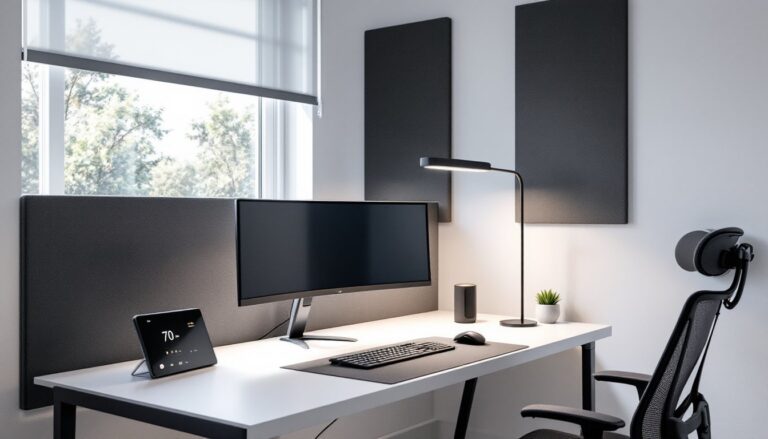
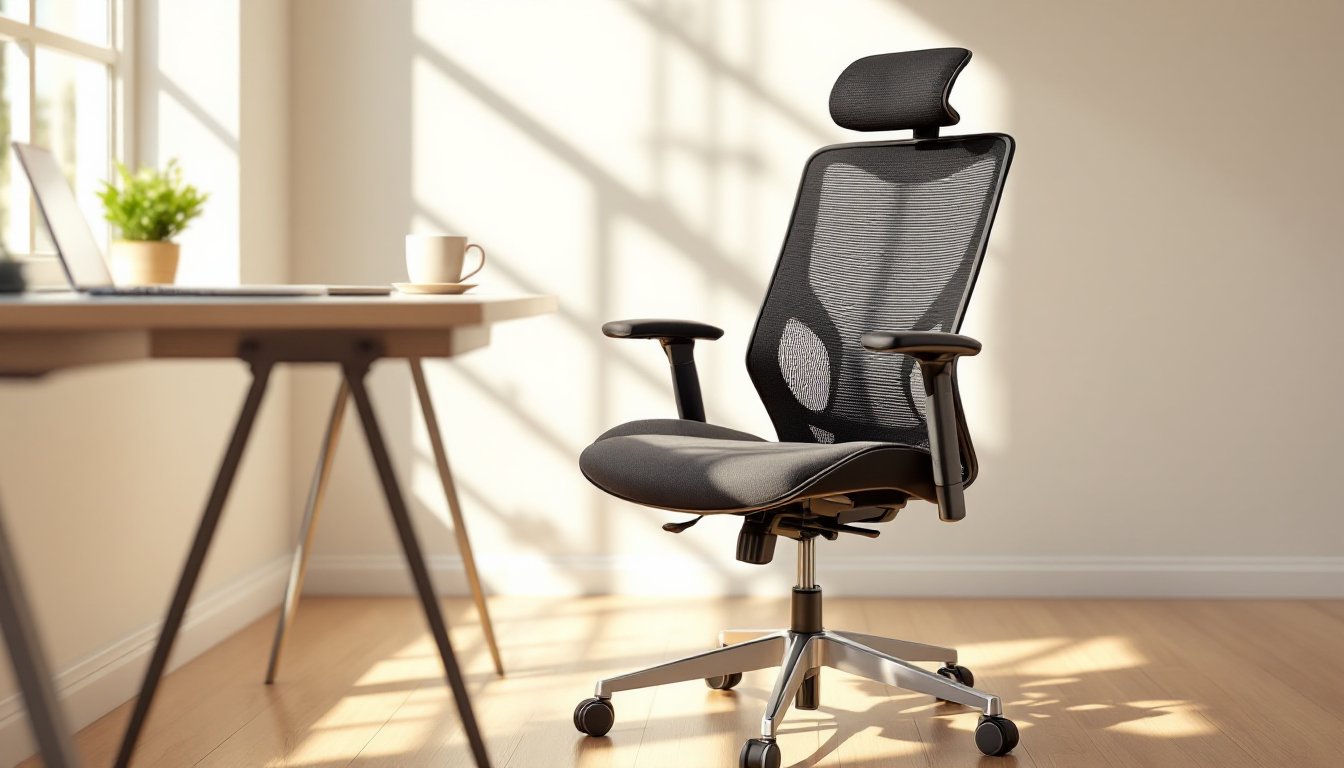
Setting up a home workspace isn’t just about finding a corner with decent lighting. The chair beneath you matters more than most DIYers realize, especially when you’re logging 40+ hours a week at a desk. A poorly chosen seat can turn productive workdays into neck-aching marathons, while a properly spec’d office chair supports posture, reduces fatigue, and makes long stretches at the keyboard feel manageable. Unlike shop stools or dining chairs pressed into service, a true office chair is engineered around human anatomy, adjustability, and durability. This guide cuts through marketing jargon to identify what actually makes a chair comfortable, which features are worth paying for, and how to match a model to your body type and workspace needs.
Table of Contents
ToggleKey Takeaways
- A truly comfortable office chair supports the natural S-curve of your spine, distributes weight evenly, and features adjustable lumbar support to prevent lower back strain during extended work sessions.
- Adjustability is more important than aesthetics—prioritize seat height range, lumbar position, 4D armrests, and synchro-tilt mechanisms to customize the chair to your body and work tasks.
- The best comfortable office chair matches your height, weight, and body shape; under 5’4″ users need smaller seat depths, while taller users benefit from adjustable headrests and deeper seat pans.
- Mesh construction outperforms leather or foam for all-day comfort in home offices because it breathes better and prevents heat buildup during extended sitting.
- Investment in a quality ergonomic chair rated for BIFMA/ANSI standards pays dividends through reduced neck and back pain, improved posture, and 7–10 years of durability with proper maintenance.
What Makes an Office Chair Truly Comfortable?
Comfort isn’t subjective fluff, it’s measurable through contact points, weight distribution, and adjustability. A chair earns the “comfortable” label when it supports the natural S-curve of the spine, distributes body weight across the seat pan without pressure points, and allows micro-adjustments throughout the day.
Lumbar support is non-negotiable. The lower back (L3–L5 vertebrae) bears significant load when seated. Chairs without adequate lumbar curvature force the spine into flexion, leading to disc compression and muscle fatigue. Quality models feature adjustable lumbar pads that can slide vertically 2–4 inches and depth-adjust forward or back.
Seat depth and width directly impact circulation. A seat pan that’s too deep pushes into the back of the knees, restricting blood flow. Too shallow, and thighs lose support. Most adults need a seat depth of 15.5–17 inches (adjustable sliders help here) and a width of at least 18–20 inches. Check that the front edge has a waterfall design, a gentle downward slope that reduces pressure on the underside of thighs.
Armrests should adjust in height, width, and angle. Fixed arms either force shoulders up (causing trapezius tension) or sit too low (encouraging slouching). Multi-dimensional armrests let forearms rest parallel to the desk at a 90-degree elbow bend, which reduces strain on wrists and shoulders during typing.
Finally, material breathability matters for all-day comfort. Mesh backrests promote airflow better than solid foam or leather, which trap heat during extended sessions.
Key Features to Look for in a Comfortable Office Chair
When evaluating chairs, focus on adjustability range and build quality over gimmicks.
Seat Height Adjustment (Pneumatic Cylinder): This is basic but critical. The cylinder should allow a range from roughly 16 to 21 inches off the floor, accommodating most users from 5’0″ to 6’4″. Feet should rest flat with thighs parallel to the ground and knees at 90 degrees. Class 3 or Class 4 gas cylinders meet BIFMA (Business and Institutional Furniture Manufacturer’s Association) safety standards.
Tilt Mechanism: Entry-level chairs use a basic tilt lock. Better models offer synchro-tilt, where the seat and backrest recline at different ratios (typically 2:1), keeping feet on the floor during recline. Tilt tension adjustment lets users fine-tune resistance based on body weight, a 120 lb. person needs less spring tension than a 220 lb. user.
Lumbar Support: As noted earlier, adjustable beats fixed. Some high-end chairs use dynamic lumbar systems that track spine movement, but a simple height-and-depth adjustable pad works well for most home offices.
Armrests (4D Preferred): Look for 4D armrests that adjust up/down, forward/back, pivot inward/outward, and angle left/right. This supports varied tasks, typing, mousing, reading, without repositioning the chair.
Base and Casters: A five-star base (not four-star) distributes weight safely. Dual-wheel casters rated for your flooring type (hard floors vs. carpet) prevent scratching and ensure smooth rolling. Check the load rating, most quality chairs support 250–300 lbs, but heavy-duty models go to 400 lbs or more.
Headrest: Optional but helpful for users over 5’10” or anyone who reclines frequently. Should adjust in height and angle to cradle the occiput (base of skull) without pushing the head forward.
Top 5 Most Comfortable Office Chairs for Home Workspaces
These picks balance comfort, build quality, and real-world usability based on recent testing and user feedback.
1. Herman Miller Aeron (Remastered)
The gold standard for a reason. Fully adjustable 8Z Pellicle mesh keeps airflow constant. PostureFit SL lumbar support adjusts independently for sacrum and lumbar. Three size options (A, B, C) fit a wide body range. Downside: premium price (~$1,600–$1,800). Worth it if you’re at the desk 8+ hours daily.
2. Steelcase Leap V2
Excellent LiveBack technology that mimics spine movement through the recline range. Seat depth slider, 4D arms, and adjustable lumbar make it highly customizable. Fabric upholstery options suit those who dislike mesh. Runs ~$1,100–$1,300. Built like a tank, expect 10+ years of service.
3. Branch Ergonomic Chair
Budget-friendly ergonomic option at ~$350–$400. Adjustable lumbar, breathable mesh, and 4D arms hit the essentials without luxury pricing. Weight limit of 275 lbs. Assembly required (about 20 minutes with included hex keys). Good entry point for first-time home office builders.
4. Secretlab Titan Evo
Originally gaming-focused, but the 2024+ models refined ergonomics for office use. Magnetic memory foam head pillow and integrated lumbar dial are standout features. CloudSwap leatherette or fabric options resist wear. Runs ~$500–$600. Best for users who want plush padding over minimalist mesh.
5. Autonomous ErgoChair Pro
Mid-range pick (~$400–$500) with adaptive spinal support and flexible mesh backrest. Adjustable everything: seat height, depth, tilt, arms, lumbar, headrest. Assembly is straightforward. Casters work well on both carpet and hardwood. Weight capacity 300 lbs.
These chairs all meet or exceed BIFMA/ANSI standards for commercial seating, which means they’re tested for durability and safety beyond what typical “home office” chairs endure. Independent reviews from sources like recent ergonomic testing and lab-tested comparisons confirm these models deliver sustained comfort.
Ergonomic vs. Executive: Which Style Suits Your Needs?
“Ergonomic” and “executive” aren’t mutually exclusive, but they emphasize different priorities.
Ergonomic chairs prioritize adjustability and spine health. They typically feature mesh construction, visible mechanical adjustments, and clinical aesthetics. Think task chairs designed for 8+ hour shifts. If your day involves constant keyboard/mouse work, video calls, or detailed screen tasks, ergonomic is the better route. These chairs often include features that support productivity like forward tilt for active sitting or synchro-recline for brief rest intervals.
Executive chairs lean toward aesthetics: bonded or genuine leather upholstery, high backs, padded armrests, and a boardroom-ready appearance. They often sacrifice some adjustability for visual presence. If client-facing video calls are common or the home office doubles as a visible backdrop, an executive chair projects professionalism. But, many executive models skimp on lumbar support or use basic tilt mechanisms.
Hybrid options exist: Steelcase Gesture and Herman Miller Embody blend executive styling with full ergonomic functionality. Expect to pay a premium (~$1,200–$1,800) for that combination.
When to choose each:
- Ergonomic: You sit 6+ hours daily, have a history of back or neck pain, or perform repetitive tasks.
- Executive: Meetings and calls dominate your schedule, the chair is visible on camera, or you value traditional office aesthetics.
Don’t assume leather equals quality. Full-grain leather breathes better than bonded or PU leather, but even premium leather traps more heat than mesh. For all-day comfort in a home environment without commercial HVAC, mesh usually wins.
How to Choose the Right Office Chair for Your Body Type
Chairs aren’t one-size-fits-all. Manufacturers size components around average populations, but “average” doesn’t fit everyone.
Height Considerations:
- Under 5’4″: Look for chairs with shorter seat depths (15–16″) and lower minimum seat height (15–16″ from floor). Standard chairs can leave shorter users with feet dangling or seat pans that dig into the back of knees. Herman Miller Aeron Size A or Steelcase Series 1 (small) are good starting points.
- 5’4″ to 6’0″: Most mid-range chairs fit this bracket well. Focus on adjustable seat depth and lumbar position.
- Over 6’0″: Prioritize adjustable headrests, taller backrests (22″+ from seat), and deeper seat pans (17–18″). Steelcase Gesture and Secretlab Titan XL accommodate taller frames.
Weight Capacity:
Check the rated load (usually stamped under the seat or in the manual). Standard chairs max out at 250–275 lbs. Heavy-duty models (Big & Tall category) go to 400 lbs or more and use reinforced bases, thicker cylinders, and wider seat pans. Exceeding capacity voids warranties and risks cylinder failure.
Body Shape:
- Wider hips/thighs: Look for seat widths 20″+ and armrests that adjust outward. Fixed-width arms can pinch or force elbows out unnaturally.
- Longer torso: Adjustable lumbar is mandatory. Fixed lumbar pads may sit too low or high for your actual L3–L5 vertebrae.
- Shorter legs: Waterfall seat edge and adjustable seat depth prevent circulation issues.
Testing Before Buying:
If possible, visit a showroom or office furniture retailer. Sit for at least 10 minutes. Adjust everything. Rock back, lean forward, cross your legs (not ideal posture, but people do it). A chair that feels fine for 30 seconds may reveal pressure points after five minutes. Online purchases should include a 30-day return window, most reputable brands offer this. Expert reviews from sources like guides focused on body type matching provide real-world comfort data beyond manufacturer specs.
Maintaining Your Office Chair for Long-Lasting Comfort
A quality chair is an investment, but neglect will shorten its lifespan and degrade comfort.
Routine Cleaning:
- Mesh: Vacuum with a brush attachment monthly to remove dust and debris trapped in weave. Spot-clean with mild soap and water: avoid harsh detergents that break down elasticity.
- Fabric/Upholstery: Vacuum regularly. Treat stains immediately with upholstery cleaner appropriate to the material (check tags, most are “W” for water-based or “S” for solvent-based). Some DIYers use a diluted mix of dish soap and water with a microfiber cloth.
- Leather: Wipe with a damp (not wet) cloth weekly. Condition every 6–12 months with leather conditioner to prevent cracking. Bonded and PU leather are less forgiving, once they crack, there’s no fix.
Mechanical Maintenance:
- Casters: Remove hair, carpet fibers, and dust buildup every few months. Pop the wheels off (most pull straight out) and clean the axles. A drop of silicone-based lubricant (not WD-40, which attracts dirt) on the axle keeps rolling smooth.
- Pneumatic Cylinder: If the seat sinks during use, the gas cylinder is failing. Replacement cylinders run $20–$40 and swap out with basic tools (usually a pipe wrench, rubber mallet, and flathead screwdriver to remove the retaining clip). Match the cylinder diameter and stroke length to your chair model.
- Tilt Mechanism: If adjustments become stiff, apply a small amount of silicone spray to pivot points. Don’t over-lubricate, excess attracts grime.
Adjustment Checks:
Every 3–6 months, re-evaluate your settings. Body weight, posture habits, and desk height can shift. Re-tighten any loose bolts (most chairs use Allen/hex bolts). Adjustable components should move smoothly without excessive force, if knobs or levers are binding, inspect for debris or stripped threads.
When to Replace:
Even well-maintained chairs have lifespans. Mesh stretched beyond recovery, foam that no longer rebounds, or a cracked base means it’s time. Most quality chairs last 7–10 years with proper care. Budget models may only give 3–5 years.
Conclusion
Choosing the right office chair isn’t about chasing trends or matching decor, it’s about engineering support for the human body during extended seated work. The difference between a $150 big-box chair and a $1,000 ergonomic model shows up in adjustability, durability, and how the user feels at hour six of the workday. Prioritize lumbar support, seat adjustability, and build quality over aesthetics. Match the chair to the body type and task demands, maintain it like any other piece of functional equipment, and it’ll pay dividends in comfort and productivity for years.