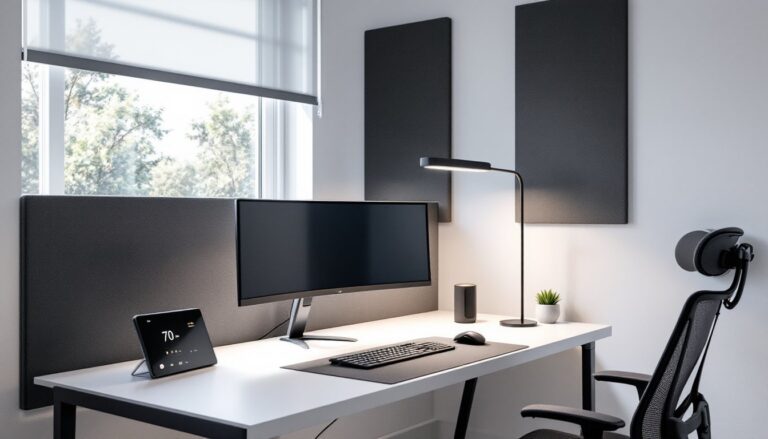

Anyone who’s spent eight hours hunched over a keyboard knows the ache, that creeping stiffness starting at the base of the skull and radiating down through the shoulders. Poor neck posture isn’t just uncomfortable: it’s a leading cause of chronic pain and tension headaches for remote workers. Adding proper neck support to an office chair can dramatically reduce strain, improve posture, and make long work sessions tolerable. This guide walks through the types of neck support available, how to choose and install the right solution, and how to adjust it for maximum benefit.
Table of Contents
ToggleKey Takeaways
- Neck support for office chairs addresses a critical ergonomic issue—head tilt of just 15 degrees increases neck pressure from 12 to 27 pounds, and poor posture causes chronic pain and tension headaches in remote workers.
- Built-in headrests offer seamless integration and superior adjustability but cost $400–$1,500+, while aftermarket neck support solutions provide budget-friendly alternatives ($20–$80) that install in 10–20 minutes without requiring chair replacement.
- Proper headrest positioning should align with the occipital bone at the base of the skull with a slight 5–10 degree backward tilt, a 1-inch gap between the back of the head and pad, and adjustability in height, tilt, and depth for individual comfort.
- Avoid common installation mistakes such as mounting too high (at the skull crown instead of the neck), over-tightening clamps on plastic frames, ignoring overall chair height and monitor placement, and using the headrest as a continuous pillow rather than a support backstop.
- Effective neck support works as part of a comprehensive ergonomic system—combining proper headrest adjustment with correct seat height, monitor positioning, and regular movement breaks is essential to prevent cervicogenic headaches and upper crossed syndrome.
- Memory foam padding, clamp-on mounting styles, and adjustable arms offer the best stability and comfort for long work sessions, whereas simple cushions with elastic bands tend to shift and provide less sustained support throughout the day.
Why Neck Support Matters for Your Home Office Setup
The human head weighs 10-12 pounds, but when it tilts forward just 15 degrees, the effective load on the neck increases to around 27 pounds. At 60 degrees, a common angle when staring at a screen without proper support, the neck bears roughly 60 pounds of pressure. That’s like carrying an 8-year-old on your shoulders all day.
Most standard office chairs support the lower and mid-back but leave the cervical spine (the neck’s seven vertebrae) unsupported. Without a headrest or neck cushion, the muscles in the neck and upper trapezius work overtime to hold the head upright, leading to muscle fatigue, trigger points, and even nerve compression.
Proper neck support encourages a neutral head position, ears aligned over shoulders, which distributes weight evenly along the spine. This reduces strain on the cervical muscles and helps prevent conditions like cervicogenic headaches and upper crossed syndrome, common among desk workers.
From a DIY standpoint, adding neck support is one of the most cost-effective ergonomic upgrades. It doesn’t require rewiring your workspace or replacing expensive furniture. A quality aftermarket headrest or cushion typically costs $20-$80, far less than a chiropractor visit or a brand-new ergonomic chair. For anyone spending more than four hours a day at a desk, it’s a no-brainer investment.
Types of Neck Support Solutions for Office Chairs
Neck support options fall into two broad categories: built-in and aftermarket. Understanding the differences helps narrow down what’s practical for your setup.
Built-in headrests come integrated with mid-to-high-end office chairs. These are typically adjustable in height and tilt, with padding that conforms to the natural curve of the neck. Brands like Herman Miller, Steelcase, and Secretlab include adjustable headrests as standard or optional features. The advantage is seamless integration, no straps, no clips, no jury-rigging. The downside is cost: chairs with quality built-in headrests start around $400 and can exceed $1,500.
Aftermarket headrests attach to existing chairs via clamps, straps, or mounting brackets. They range from basic foam cushions with elastic bands to sophisticated units with memory foam padding, adjustable arms, and pivoting mounts. These work well if you already have a decent chair but it lacks head support. Most aftermarket units fit chairs with backrests 18-24 inches wide and mount to the backrest frame or top rail.
Neck pillows and cervical cushions are the simplest option, U-shaped or contoured foam pads that rest against the chair back at neck height. They’re lightweight, portable, and work on almost any chair. But, they tend to shift during use and offer less stability than a mounted headrest.
Built-In Headrests vs. Aftermarket Accessories
Built-in headrests win on aesthetics and adjustability. They’re engineered to match the chair’s geometry, so height, depth, and angle adjustments feel intuitive. If someone’s in the market for a new chair and spends serious hours at a desk, investing in one with an integrated headrest makes sense.
Aftermarket accessories shine for retrofit projects. They’re budget-friendly, reversible, and don’t void warranties. Installation typically takes 10-20 minutes with basic tools (often just an Allen wrench or screwdriver). The trade-off is a bulkier look and occasional slippage if not secured properly. For renters or anyone unwilling to drop four figures on a chair, aftermarket is the practical route. The comfortable office chairs category has evolved to include many affordable options that pair well with add-on headrests.
How to Choose the Right Neck Support for Your Chair
Start by measuring the chair’s backrest. Note the height from seat to top edge, width at the shoulder area, and thickness. Most aftermarket headrests fit backrests 18-24 inches wide and 1-3 inches thick. If the chair has an unusually narrow or curved backrest, options narrow significantly.
Next, consider mounting style. Clamp-on headrests attach directly to the top rail or frame of the chair and offer the most stability. Strap-on models use elastic bands or Velcro and work on chairs without exposed frames, but they can sag over time. Some units mount via existing bolt holes if the chair originally had an optional headrest.
Padding type matters for comfort and durability. Memory foam conforms to the neck’s curve and distributes pressure evenly, ideal for long sessions. High-density polyurethane foam is firmer and holds its shape better but may feel less cushioned initially. Avoid cheap open-cell foam: it compresses quickly and loses support within months.
Check adjustability range. A good headrest should adjust in height (at least 3-4 inches of travel), tilt angle (forward and back by 10-20 degrees), and ideally depth (in/out by 1-2 inches). This ensures it can accommodate different body sizes and seating postures.
Finally, match the aesthetic. Black mesh or fabric blends into most office chairs. If the chair has leather or a specific color, look for headrests with removable, washable covers, some come in gray, tan, or even custom colors. Design enthusiasts often reference resources like Design Milk for ideas on blending ergonomic accessories with modern workspace aesthetics.
DIY Installation Guide: Adding Neck Support to Any Office Chair
Most aftermarket headrests install in under 20 minutes with minimal tools. Here’s a step-by-step walkthrough for a clamp-on model, the most common type.
Tools and materials:
- Aftermarket headrest kit (includes mounting bracket, clamp, hardware)
- Allen wrench or Phillips screwdriver (usually provided)
- Measuring tape
- Optional: threadlocker (e.g., blue Loctite) for securing bolts
Steps:
-
Remove the chair back if possible. Some chairs have removable backrests held by two to four bolts at the seat junction. Laying it flat makes installation easier. If it’s not removable, work with the chair upright.
-
Position the mounting bracket. Hold the bracket against the top center of the backrest. The headrest pad should rest at mid-neck height when you’re seated upright. Mark the position lightly with a pencil if needed.
-
Attach the clamp or bracket. Slide the clamp over the top rail of the chair back. Tighten the mounting bolts with the Allen wrench, snug but not overtightened (you don’t want to crack plastic frames). If the chair has exposed frame tubes, position the clamp around the tube and tighten evenly on both sides.
-
Insert the headrest post into the bracket. Most kits use a post-and-sleeve system. Slide the headrest’s support arm into the bracket sleeve, aligning any locking pins or set screws. Tighten the set screw to lock the height.
-
Adjust angle and depth. Loosen the angle adjustment knob (usually on the side of the bracket) and tilt the headrest forward or back until it cradles the natural curve at the base of the skull. Tighten the knob. If there’s a depth adjustment, slide the pad in or out so it lightly contacts the neck without pushing the head forward.
-
Test and tweak. Sit in the chair and lean back. The headrest should support the neck without forcing the head into an unnatural angle. If it pushes the chin toward the chest, tilt it back or lower it slightly. If it sits too high and only touches the back of the head, raise your seat height or lower the headrest.
Pro tip: Apply a drop of blue threadlocker to the mounting bolts after final adjustment. It prevents vibration loosening over time but remains removable if needed. For woodworkers looking to build custom chair accessories, Fix This Build That offers detailed plans and jigs that can adapt to furniture projects.
Adjusting Your Neck Support for Maximum Comfort and Health
Installation is only half the job, proper adjustment determines whether the headrest helps or hinders. Start by setting the height so the thickest part of the pad aligns with the curve at the base of the skull (the occipital bone). If it’s too high, it’ll push the head forward. Too low, and it won’t engage the cervical spine.
Tilt angle should allow the head to rest in a neutral position with minimal muscular effort. A slight backward tilt (5-10 degrees) is ideal for most people. If someone frequently leans back to think or take calls, a more reclined angle works. If the work involves constant forward focus (typing, drawing), keep the angle closer to vertical.
Depth adjustment is critical and often overlooked. The pad should gently contact the neck, not push it forward. There should be about a 1-inch gap between the back of the head and the pad when sitting upright, closing to light contact when leaning back. If the headrest forces the chin down, pull it back or reduce the forward tilt.
Re-check adjustments after a week. Bodies adapt, and what felt right on day one may need tweaking as posture improves. Some users find they need to lower the headrest slightly as neck muscles strengthen and natural curvature returns.
Safety note: If neck pain worsens or radiates into the arms after adding a headrest, stop using it and consult a healthcare professional. Occasionally, improper adjustment can exacerbate existing cervical issues or nerve impingements. Ergonomics should relieve discomfort, not create it.
Common Mistakes to Avoid with Neck Support
Mounting too high. The most frequent error is positioning the headrest at the back of the skull instead of the neck. This forces the head forward and negates the benefit. The pad should cradle the occipital curve, not the crown.
Over-tightening clamps. Plastic chair frames crack easily. Tighten clamps until snug, then give a quarter-turn more, no further. If the headrest shifts during use, add a rubber washer or grip tape to the clamp surface instead of cranking down harder.
Ignoring chair height. Neck support works in tandem with overall posture. If the chair is too low and someone’s hunching to see the monitor, even a perfect headrest won’t help. Adjust seat height so feet rest flat, thighs are parallel to the floor, and the monitor’s top edge is at or slightly below eye level.
Using a headrest as a pillow. A headrest supports the neck during reclined moments, it’s not meant for constant leaning. Resting against it continuously while typing defeats the purpose and encourages slouching. The neck should be self-supporting with the headrest as a backstop.
Neglecting other ergonomic factors. Adding neck support won’t fix a chair with a sagging seat, broken lumbar support, or armrests at the wrong height. Think of ergonomics as a system. For comprehensive workspace setups, design-focused sites like Decoist often feature home office layouts that balance aesthetics with ergonomic principles.
Skipping break reminders. No headrest, no matter how well-adjusted, compensates for sitting still for hours. Set a timer to stand, stretch, or walk every 45-60 minutes. Muscles need movement to stay healthy, and even the best chair can’t override prolonged static posture.