Lower back pain from extended sitting isn’t just uncomfortable, it’s a productivity killer that affects millions of desk workers daily. The culprit is often a poorly designed chair that forces the spine into unnatural positions, straining muscles and compressing discs over hours of work. An ergonomic office chair built specifically for lumbar support can make the difference between ending your workday with energy or with a heating pad. This guide breaks down what makes a chair genuinely supportive, which features matter most for lower back relief, and the top models tested for 2026.
Table of Contents
ToggleKey Takeaways
- The best ergonomic office chair for lower back pain must feature adjustable lumbar support that maintains the spine’s natural S-curve and can reduce discomfort by up to 50% in sedentary workers.
- Proper chair setup—including seat height, depth, lumbar positioning, and recline angle—takes just 10 minutes but makes a measurable difference in back pain relief and requires reassessment every few weeks.
- Look for adjustable depth, height, and tilt features rather than fixed designs, since body types vary greatly and one-size-fits-all solutions rarely align correctly with different spinal curvatures.
- High-density foam seats with at least 2.5 lbs per cubic foot density and waterfall edges outperform thin padding or memory foam, which sag quickly and fail to provide sustained support.
- Top-rated models like Herman Miller Aeron and Steelcase Leap V2 deliver superior lumbar support through dynamic systems, while budget-friendly options like Branch and Autonomous ErgoChair Pro cover essential adjustability at lower price points.
- Even with a supportive chair, monitor and desk alignment are critical—screen top should be at or slightly below eye level—and persistent pain may require professional medical evaluation beyond ergonomic solutions alone.
Why Ergonomic Design Matters for Lower Back Pain Relief
The average office worker spends seven to nine hours sitting each day, and without proper support, the lower back bears the brunt. Standard chairs allow the pelvis to tilt backward, flattening the spine’s natural lumbar curve and increasing pressure on the L4-L5 and L5-S1 discs, the most common sites for herniation and degeneration.
Ergonomic chairs are engineered to maintain that natural S-curve by supporting the inward curve of the lower back (lordosis). This reduces muscle fatigue, improves circulation, and distributes weight more evenly across the seat. Studies show that proper lumbar support can reduce lower back discomfort by up to 50% in sedentary workers.
But ergonomics isn’t a one-size-fits-all solution. Bodies vary in height, weight distribution, and spinal curvature. A chair that works for a 5’4″ user may leave a 6’2″ user with dangling feet and misaligned hips. Adjustability is the key, height, depth, tilt, and lumbar positioning all need to flex with the user’s body. Skip the adjustable features, and you’re essentially buying a fancy fixed chair that might not fit.
Key Features to Look for in an Ergonomic Office Chair
Not every chair labeled “ergonomic” delivers real back relief. Here’s what separates genuinely supportive models from marketing hype.
Lumbar Support and Adjustability
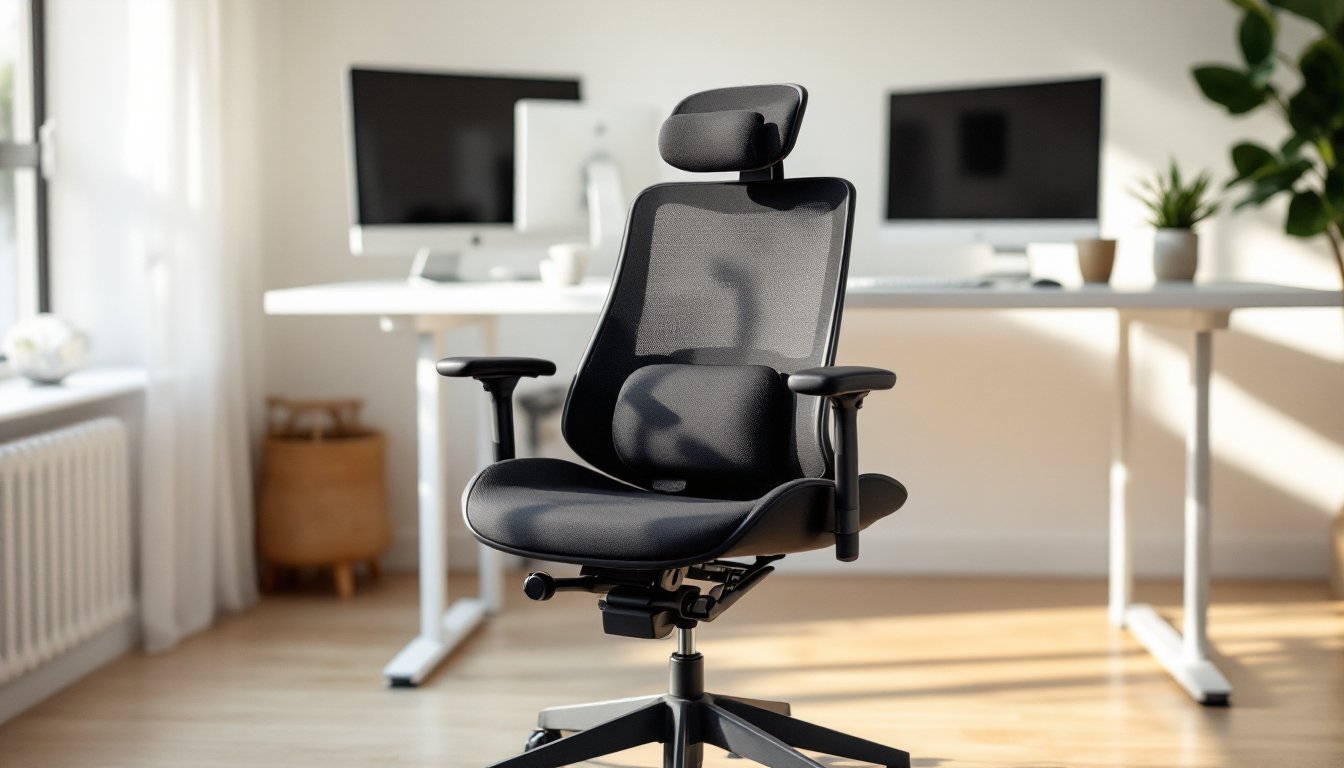
Lumbar support is the single most critical feature for lower back pain. Look for chairs with adjustable lumbar depth (how far the support protrudes) and height (where it hits your spine). The support should nestle into the small of your back, roughly 3 to 5 inches above the seat. Fixed lumbar cushions rarely align correctly across different body types.
Dynamic lumbar support adjusts as you recline, maintaining contact with your lower back through the full range of motion. Mesh-backed chairs often provide this naturally, as the material flexes with movement. Some high-end models include pneumatic lumbar adjustment with a dial or pump that increases or decreases cushion firmness, useful if your pain fluctuates throughout the day.
Also consider backrest height and recline. A backrest that extends to mid-shoulder blade supports the thoracic spine, reducing overall spinal load. Recline tension control lets you lean back without the chair catapulting you backward, which encourages movement and reduces static load on the lumbar region.
Seat Depth, Height, and Material Considerations
Seat depth matters more than most people realize. If the seat’s too deep, it forces you to choose between lower back contact and knee circulation. Aim for 2 to 4 inches of clearance between the seat edge and the back of your knees. Many comfortable office chairs offer seat depth adjustment via a sliding mechanism, non-negotiable if multiple people use the chair or if you’re outside the 5’5″ to 5’10” average range.
Seat height should allow feet to rest flat on the floor with thighs parallel to the ground and knees at roughly 90 degrees. Most ergonomic chairs offer pneumatic height adjustment from about 16 to 21 inches. If you’re particularly tall or short, verify the range before buying.
Material impacts both comfort and durability. Mesh seats promote airflow and conform to body shape but can sag over time. High-density foam (at least 2.5 lbs per cubic foot) holds shape better and provides firm, even support. Avoid thin padding or “memory foam” that bottoms out after a few months. The seat pan itself should have a waterfall edge, a gentle downward curve that reduces pressure on the underside of the thighs and improves circulation.
Top Ergonomic Office Chairs for Lower Back Pain in 2026
After testing dozens of models, these chairs consistently deliver lower back relief across a range of budgets and body types. Independent office chair reviews confirm these models rank high for lumbar support and adjustability.
Herman Miller Aeron (Remastered) remains the gold standard. The PostureFit SL lumbar system supports both the sacrum and lumbar spine independently, and the 8Z Pellicle mesh suspension eliminates pressure points. Size options (A, B, C) accommodate users from 4’10” to 6’5″ and up to 350 lbs. Expect to spend $1,400 to $1,800 depending on options. Twelve-year warranty. Worth it if lower back pain is chronic and you sit 6+ hours daily.
Steelcase Leap V2 excels in dynamic support. The LiveBack technology changes shape as you recline, maintaining lumbar contact through a full 130-degree range. Seat depth adjusts up to 2.5 inches, and the flexible seat edge reduces thigh pressure. Rated for 300 lbs and comes with a twelve-year warranty. Pricing typically runs $900 to $1,100. A solid middle-ground option that handles varied sitting postures.
Autonomous ErgoChair Pro offers budget-friendly adjustability without sacrificing essentials. Six adjustment points include lumbar depth, backrest tilt, and seat depth. TPE mesh backrest stays cool and provides decent support for users up to 250 lbs. Priced around $400 to $500. Not as refined as premium models, but hard to beat at this price point for genuine ergonomic features.
Haworth Fern stands out for sustainability-minded buyers. The wave suspension backrest adapts to spinal curves without mechanical adjustments, and the design uses recyclable materials throughout. Rated for users up to 300 lbs, with seat height ranging 16 to 21 inches. Priced at $800 to $1,000. The simplified adjustment system makes it nearly foolproof to set up correctly.
Branch Ergonomic Chair delivers surprising value at $350 to $400. Adjustable lumbar support, seat depth slider, and 4D armrests (height, width, depth, angle) cover the basics. Mesh back and cushioned seat suit most body types under 275 lbs. The reclining tension can feel stiff out of the box but loosens with use. Seven-year warranty is generous for this price bracket.
For home offices needing style alongside function, ergonomic designs have evolved significantly, many now blend modern aesthetics with clinical support features.
How to Set Up Your Ergonomic Chair for Maximum Back Support
Even the best chair won’t help if it’s adjusted incorrectly. Follow this sequence, it takes 10 minutes but makes a measurable difference.
-
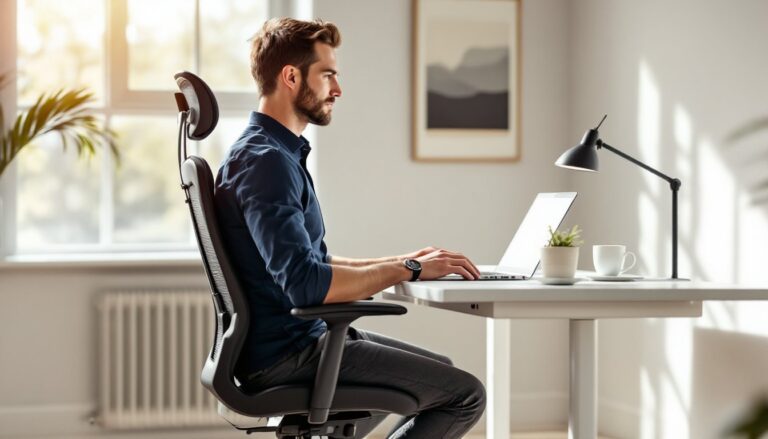
Adjust seat height first. Sit with feet flat on the floor. Thighs should be parallel to the ground or angled slightly downward. Hips should sit level with or slightly higher than knees. If your feet dangle, use a footrest.
-
Set seat depth. Slide the seat pan so there’s 2 to 4 inches of clearance between the seat edge and the back of your knees. You should be able to fit three fingers in that gap.
-
Position lumbar support. Adjust the lumbar cushion or backrest height until the curve hits the small of your back, typically 3 to 5 inches above the seat. It should feel like gentle, constant pressure, not a hard jab.
-
Adjust backrest recline. A slight recline (around 100 to 110 degrees) reduces spinal load compared to sitting bolt upright. Lock the recline if you prefer stability, or leave it dynamic to encourage movement.
-
Set armrest height. Arms should rest lightly on the armrests with shoulders relaxed and elbows at roughly 90 degrees. If the armrests push your shoulders up, lower them or remove them entirely. Some users with lower back pain find armrests interfere with proper posture, experiment.
-
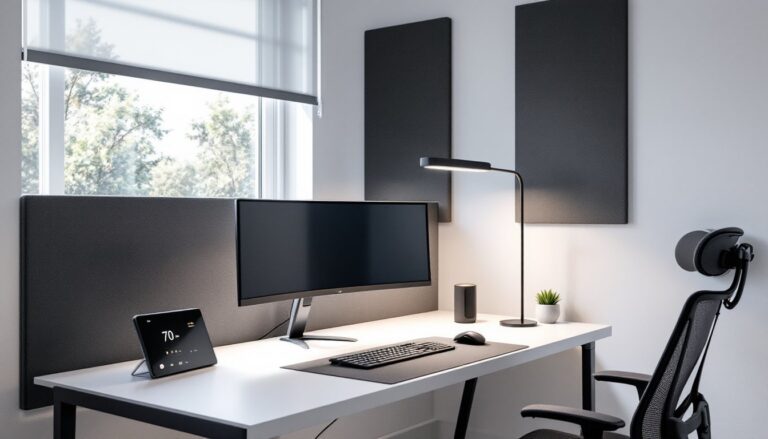
Check monitor and desk alignment. Even a perfect chair can’t compensate for a monitor positioned too low, forcing you to crane your neck and round your lower back. Top of the screen should be at or slightly below eye level, about 20 to 30 inches from your face. Keyboard and mouse should allow wrists to stay neutral. If you’re building or refining your workspace setup, consider how DIY furniture projects can be customized to your exact ergonomic needs.
PPE note: If you’re installing gas cylinders, casters, or heavy bases during chair assembly, wear safety goggles to protect against spring clips or metal edges. Some chair bases weigh 30+ lbs, so lift with your legs, not your back.
Reassess your setup every few weeks. Bodies change, tasks vary, and slight tweaks can prevent discomfort from creeping back in. If pain persists even though a proper chair and setup, consult a healthcare professional, structural issues may require physical therapy or medical intervention.
Conclusion
The right ergonomic office chair won’t cure chronic lower back pain on its own, but it removes one of the biggest daily stressors on the spine. Prioritize adjustable lumbar support, proper seat depth, and quality materials that hold up under daily use. Test chairs when possible, what works for one body won’t necessarily work for another. And once you’ve invested in a supportive chair, take the time to dial in the adjustments. Your lower back will thank you by the end of every workday.