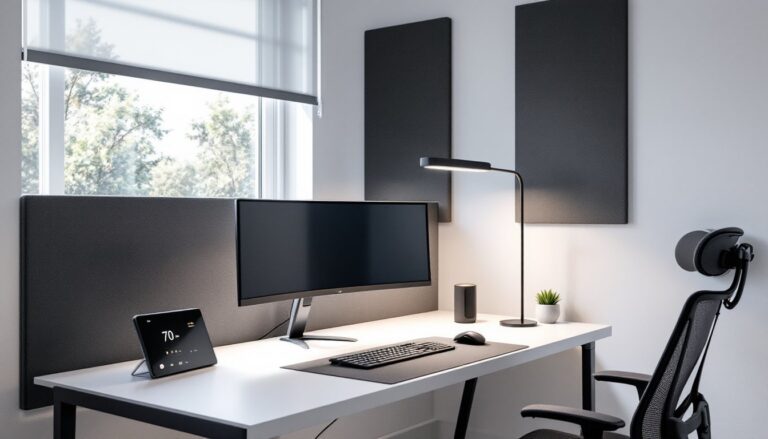

Finding an office chair that actually fits can feel like hunting for a unicorn when you’re 5’4″ or under. Standard chairs are designed for the mythical “average” user, usually someone around 5’9″, which leaves shorter folks with dangling feet, awkward armrests, and lumbar support that hits mid-shoulder blade. That’s not just uncomfortable: it’s a fast track to back pain, circulation issues, and wasted money. The right chair for petite users isn’t about scaling down a standard model. It requires specific dimensions, adjustment ranges, and ergonomic features that acknowledge shorter leg length, smaller torso depth, and different pressure points. This guide cuts through the marketing fluff to show what actually matters.
Table of Contents
ToggleKey Takeaways
- The best office chair for short women must have a minimum seat height of 14.5–17 inches and adjustable seat depth of at least 2 inches to accommodate shorter leg length and torso depth without dangling feet or lost lumbar support.
- Lumbar support positioning is critical for petite users—look for height-adjustable support with 3–4 inches of vertical travel that can be moved to the small of your back rather than fixed high supports that hit the thoracic spine.
- Top-rated options for shorter heights include the Steelcase Leap ($900+) for premium adjustability, HON Ignition 2.0 ($400–500) for mid-range value, and IKEA Järvfjället (under $300) for budget-conscious buyers, each with proven minimum seat heights under 16 inches.
- Proper ergonomic adjustment—starting with seat height, then depth, lumbar position, and armrest alignment—matters more than the chair itself; a 2–3 finger gap between your knees and seat edge prevents circulation problems and thigh pressure.
- Avoid chairs marketed only as “petite” that reduce seat width; the real issues for short women are seat height, depth, and lumbar support positioning, not width.
- A footrest 4–6 inches high can transform comfort for shorter users by enabling proper 90-degree knee angles and reducing thigh pressure even if your office chair’s minimum height runs slightly high.
Why Chair Height Matters for Petite Users
Seat height isn’t cosmetic, it’s biomechanical. When a chair’s minimum height keeps feet dangling, the edge of the seat presses into the underside of the thighs, cutting off circulation. That tingling numbness isn’t just annoying: over time, it contributes to varicose veins and nerve compression.
Standard office chairs bottom out around 17–18 inches from the floor. For someone 5’3″ or shorter, that’s often too high to plant feet flat while maintaining a 90-degree knee angle, the gold standard for ergonomic seating. The ideal range for petite users is 14.5–17 inches, allowing proper leg positioning without a footrest.
Seat depth compounds the problem. Most chairs offer 17–20 inches of depth, but shorter torsos need closer to 15–17 inches to avoid that awkward choice: either scoot forward and lose lumbar support, or lean back and let the seat edge dig into the backs of your knees. Chairs with seat depth adjustment (sometimes called seat pan slide) solve this by letting you pull the seat forward 2–3 inches.
Armrest height is the third culprit. If they’re too high, you end up hunching shoulders to rest your arms. Too low, and you’re reaching down, which strains the trapezius muscles. Adjustable armrests should drop to about 7–9 inches above the seat for shorter users, aligning with elbow height when shoulders are relaxed.
Essential Features to Look for in Office Chairs for Short Women
Not every “adjustable” chair actually adjusts where it counts. Here’s what separates marketing from function.
Adjustable Seat Height and Depth
Pneumatic height adjustment is standard, but the minimum and maximum range is what matters. Look for chairs with a cylinder rated for 14.5–19 inches rather than the typical 17–21 inches. Some manufacturers list this spec: others you’ll need to measure or contact support to confirm.
Seat depth adjustment (also called seat slider or seat pan depth) is non-negotiable for anyone under 5’4″. This feature lets you move the seat cushion forward or backward, independent of the backrest. Aim for at least 2 inches of travel. Without it, you’re stuck choosing between lumbar support and leg comfort, neither’s a good trade.
Seat width is less critical but worth noting. Chairs designed for larger users (20+ inches wide) can make armrests feel too far apart, forcing shoulders outward. A width of 17–19 inches typically works better for smaller frames.
Proper Lumbar Support Positioning
Lumbar support only works if it’s where your lumbar spine actually is. On shorter torsos, fixed lumbar supports often land too high, pushing against the thoracic spine instead of the natural inward curve of the lower back.
Look for height-adjustable lumbar support with at least 3–4 inches of vertical travel. Some chairs (like many mesh-back models) offer adjustable tension instead of repositionable support, that’s less useful for height differences. You want to physically move the support up or down until it hits the small of your back, roughly at belt line.
Depth adjustment (how far the lumbar cushion protrudes) helps dial in pressure. Too much and it forces an unnatural arch: too little and you lose support. Adjustable models let you tweak this as your posture changes through the day.
Top Office Chair Picks for Shorter Heights
These chairs clear the minimum spec bar and actually deliver for petite users based on real-world dimensions and adjustment ranges.
Steelcase Leap – The seat pan slider is the star here, offering 2.5 inches of depth adjustment and a minimum seat height around 15.5 inches. Lumbar support adjusts both vertically and in firmness. Armrests have a wide range of motion. It’s pricey ($900+), but the build quality and 12-year warranty justify the cost for daily use. Independent testing from home product reviewers confirms it ranks highly for ergonomic adjustability.
HON Ignition 2.0 – A solid mid-range option ($400–500) with a 16-inch minimum seat height and adjustable lumbar support. Seat depth isn’t adjustable, but the shallow 16.5-inch depth works for many shorter users without modification. The mesh back breathes well, and the synchro-tilt mechanism keeps the seat-to-back angle consistent when you recline.
IKEA Järvfjället – Budget pick under $300 with a 15-inch minimum seat height, one of the lowest you’ll find. No seat depth adjustment, but the compact 16-inch depth and adjustable lumbar height make it work for users 5’2″ and under. Build quality’s fine for light-to-moderate use: don’t expect it to last a decade.
Humanscale Freedom – The self-adjusting recline mechanism adapts to your weight without manual tension knobs. Seat height goes down to 15 inches, and the gel seat cushion is narrower than average (18 inches), which suits smaller frames. Around $1,200, so it’s an investment. Multiple office chair reviews consistently rank it for long-term comfort.
Branch Ergonomic Chair – Direct-to-consumer model around $350 with a 15.5-inch minimum height and adjustable lumbar support. Seat depth is fixed at 17 inches, which straddles the line, some petite users find it fine, others prefer shorter. The tilting headrest is a nice touch if you lean back during calls.
Avoid chairs labeled “petite” that only reduce seat width. Width isn’t the issue, height and depth are.
How to Properly Adjust Your Office Chair for Optimal Ergonomics
Even the best-spec’d chair won’t help if it’s set up wrong. Here’s the sequence that actually works, starting from the ground up.
1. Set seat height. Sit fully back against the backrest. Adjust the seat so your feet rest flat on the floor (or footrest) and your knees form a 90–100 degree angle. Thighs should be parallel to the floor or angled slightly downward. If your feet dangle, the seat’s too high: if your knees are above your hips, it’s too low.
2. Adjust seat depth. If your chair has a seat slider, position it so there’s a 2–3 finger gap (about 2 inches) between the back of your knees and the seat edge when you’re sitting back against the lumbar support. This prevents pressure on the popliteal artery.
3. Position lumbar support. Adjust the lumbar support vertically until it fits the natural curve of your lower back, usually at or just below belt line. You should feel gentle, even pressure, not a hard knob poking you. Tweak the depth (if adjustable) until it supports without forcing an exaggerated arch.
4. Set armrest height. With shoulders relaxed (not hunched), adjust armrests so your forearms rest lightly when elbows are at a 90-degree angle. Armrests should support without lifting your shoulders or forcing you to reach down. If they interfere with your desk height, it’s okay to lower them or remove them entirely.
5. Adjust backrest tilt and tension. Set the tilt tension so you can recline with gentle pressure but the backrest doesn’t slam backward. Lock the tilt if you prefer upright work: leave it unlocked if you shift positions often. The backrest angle should support you without pushing you forward or letting you slouch.
6. Position your desk and monitor. This isn’t a chair adjustment, but it matters. Your monitor’s top edge should be at or slightly below eye level when sitting upright, about 20–26 inches from your face. Keyboard and mouse should be close enough that your elbows stay near your sides, no reaching.
Recheck every few weeks. Posture habits shift, and what felt right initially might need tweaking. Those who invest in ergonomic seating often notice that fine-tuning adjustments over the first month dramatically improves comfort.
If you’re still experiencing discomfort after proper adjustment, a footrest can make a significant difference. Even a small platform (4–6 inches high) lets you achieve proper knee angle and takes pressure off the thighs. Angled footrests also encourage subtle leg movement, which helps circulation during long sitting sessions.
Conclusion
Chair fit isn’t a luxury: it’s functional ergonomics. For shorter users, the difference between a generic chair and one with proper adjustment ranges is the difference between chronic discomfort and productive work. Prioritize seat height minimums, depth adjustment, and repositionable lumbar support, everything else is secondary. Test before you buy when possible, and don’t settle for “close enough.” Your back will thank you.