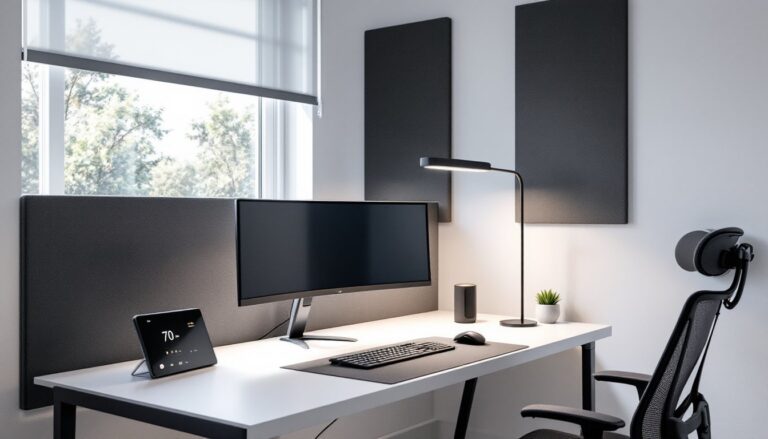
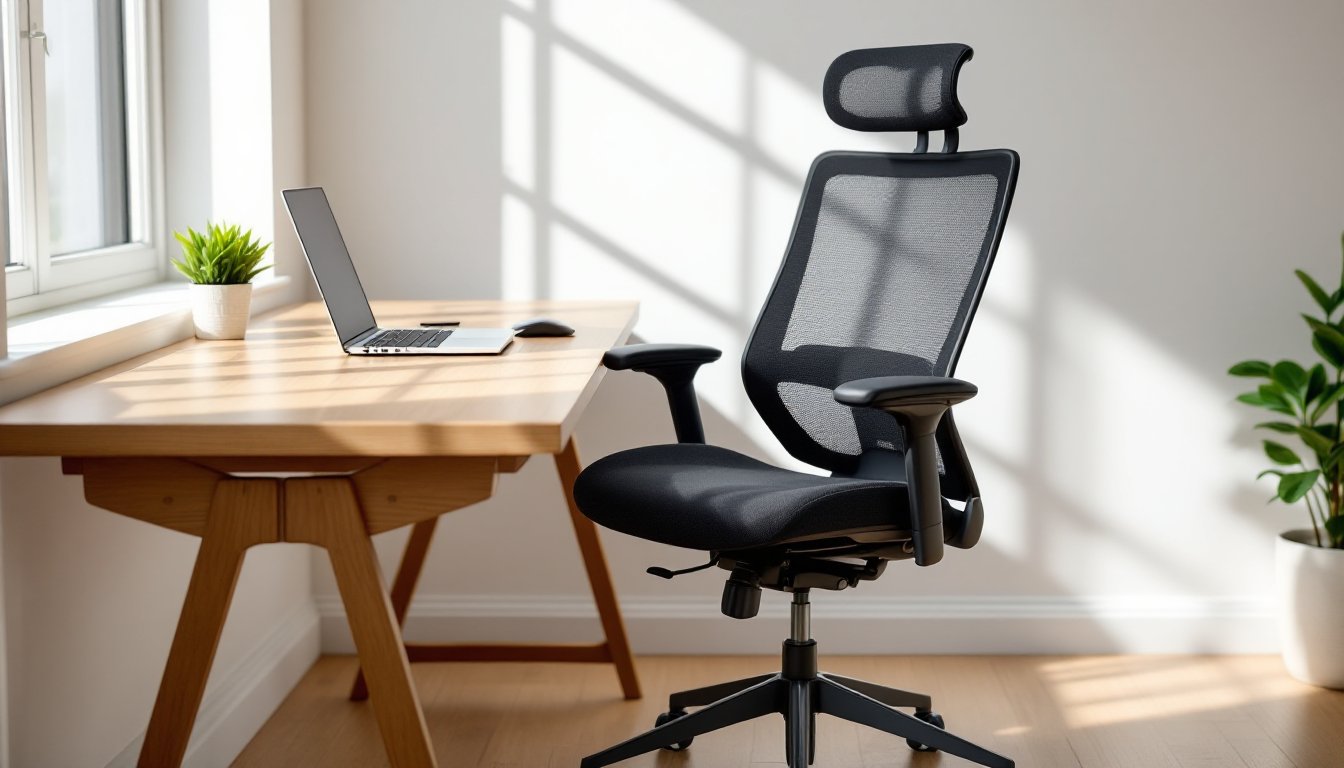
Spending eight hours a day in a chair that’s slowly destroying your back isn’t a badge of honor, it’s a problem with a straightforward fix. A proper ergonomic office chair isn’t office furniture luxury: it’s essential infrastructure for anyone working from home. Whether you’re setting up a dedicated workspace or upgrading a corner desk, the right chair impacts everything from productivity to long-term spinal health. This guide cuts through the marketing hype to help you identify what actually matters in an ergonomic chair, how to match features to your needs and budget, and how to set up your new chair correctly from day one.
Table of Contents
ToggleKey Takeaways
- A quality ergonomic chair for your office prevents chronic back pain and improves long-term spinal health by maintaining your spine’s natural S-curve through adjustable lumbar support.
- Look for adjustable features in the best ergonomic chairs: lumbar support, seat height and depth, 4D armrests, and synchro-tilt recline mechanisms that adapt to your body rather than forcing you into a one-size-fits-all design.
- Mid-range ergonomic office chairs ($400–$800) offer the best value for full-time remote workers, delivering synchro-tilt mechanisms, superior materials, and 5–10 year warranties without the premium price tag.
- Proper setup is non-negotiable: adjust seat height so your feet are flat and thighs parallel to the floor, position lumbar support in the small of your back, and ensure armrests keep your shoulders relaxed at 90-degree elbows.
- Discomfort and poor posture habits fragment your focus and productivity—a well-fitted ergonomic chair removes friction between your body and work, allowing sustained concentration throughout 8+ hour workdays.
- Pair your ergonomic chair with desk and monitor positioning at elbow and eye level respectively, since even the perfect chair loses effectiveness when placed at an improperly positioned desk.
Why Investing in an Ergonomic Office Chair Matters for Your Home Office
Here’s the truth most home office guides skip: a cheap task chair from a big-box store will cost you far more over time than a quality ergonomic model upfront. Poor seating posture leads to chronic lower back pain, neck strain, and reduced circulation, problems that compound when you’re sitting 40+ hours per week.
Ergonomic chairs address these issues mechanically. Adjustable lumbar support maintains the spine’s natural S-curve, reducing disc compression. Proper seat height and depth keep your feet flat and thighs parallel to the floor, preventing sciatic nerve pressure. Synchronized recline mechanisms let you shift positions throughout the day without losing postural support.
The productivity angle is measurable, too. Studies show that discomfort directly impacts focus and output. When you’re constantly shifting to relieve pressure points or standing to stretch a stiff back, you’re fragmenting concentration. A well-fitted chair removes that friction.
For anyone building or refining their home office setup, the chair is the foundation. You can’t retrofit comfort into a poorly designed seat, and “getting used to it” usually means adapting harmful posture habits. If your current chair leaves you stiff by mid-afternoon or you’re propping pillows behind your back, you’ve already identified the problem.
Key Features to Look for in an Ergonomic Office Chair
Not all “ergonomic” labels are created equal. Manufacturers slap that term on anything with a mesh back and a height lever. Here’s what actually separates functional ergonomic chairs from dressed-up task seating.
Adjustable Lumbar Support and Seat Height
Lumbar support isn’t optional, it’s the core function. Look for chairs with both height and depth adjustability in the lumbar mechanism. Your lower back curves inward (lordosis), and the support needs to sit precisely at that curve, typically 3-5 inches above the seat pan. Fixed lumbar pads are better than nothing, but they only work if your torso happens to match the manufacturer’s assumed proportions.
Seat height adjustment should offer a range that accommodates your desk height and leg length. When properly set, your feet rest flat on the floor (or footrest), thighs are parallel to the ground, and knees form a 90-degree angle. Standard pneumatic cylinders offer 3-5 inches of travel, enough for most users between 5’2″ and 6’2″. If you’re outside that range, verify the chair’s specified height range before buying.
Seat depth (front-to-back) matters more than most buyers realize. You want 2-4 inches of clearance between the seat edge and the back of your knees. Too deep, and you can’t use the backrest without cutting off circulation. Too shallow, and your thighs lose support. Better chairs offer a sliding seat pan or adjustable depth mechanism.
Armrests, Recline, and Material Quality
Armrests should adjust in at least two dimensions, height and width. 4D armrests (height, width, depth, and angle) are becoming standard on mid-tier and premium models, and they’re worth it. Properly positioned armrests reduce shoulder and neck tension by supporting your forearms at a height that keeps your shoulders relaxed. Fixed-height armrests are nearly useless unless you get lucky with proportions. A comprehensive office essentials list should always include proper ergonomic seating with these adjustable features.
Recline mechanisms come in three main types. Synchro-tilt (backrest reclines at a different rate than the seat) is the gold standard for ergonomic chairs because it maintains support through the full range of motion. Basic tilt mechanisms pivot the entire seat, which can lift your feet off the floor. Multi-position locks let you secure the backrest at specific angles, useful if you alternate between focused work and reading.
Material quality impacts both durability and comfort. Mesh backs offer superior breathability, critical in warm climates or if you run hot. High-quality mesh (like that on top-rated ergonomic chairs) maintains tension for years: cheap mesh sags within months. Upholstered seats with high-density foam (2.0+ lb/ft³ density) hold their shape better than low-grade padding. Leather looks sharp but traps heat: fabric breathes better but shows wear faster.
Frame construction matters for longevity. Steel or aluminum frames with reinforced joints support heavier users and tolerate daily adjustments better than plastic frames. Check the weight capacity rating, it should exceed your body weight by at least 50 lbs to account for dynamic loads (leaning, shifting).
Top Ergonomic Office Chairs for Different Budgets and Needs
Price gaps in ergonomic seating reflect feature depth, material quality, and warranty coverage, not just brand markup. Here’s how to think about the tiers.
Budget Range ($150-$300): You’re trading adjustability for basic ergonomic function. Expect fixed lumbar support, simple tilt mechanisms, and 2D armrests. Brands like Duramont and Sihoo offer mesh-back models with pneumatic height adjustment and adequate seat padding. These work fine for part-time use or lighter users (under 180 lbs) but may develop wobble or mesh sag after 2-3 years. They’re not built for 50-hour work weeks.
Mid-Range ($400-$800): This bracket delivers the most value for full-time remote workers. Look for synchro-tilt mechanisms, 4D armrests, adjustable lumbar support, and seat depth control. The Herman Miller Sayl, Steelcase Series 2, and Autonomous ErgoChair Pro sit here. Material quality jumps significantly, better mesh, higher-density foam, steel frames. Warranties extend to 5-10 years. Testing by ergonomic experts consistently places mid-range models as the sweet spot for home office use.
Premium Range ($900-$1,500+): You’re paying for extensive adjustability, premium materials, and long-term durability. The Herman Miller Aeron, Steelcase Leap, and Haworth Fern dominate this space. These chairs offer 10+ adjustment points, PostureFit mechanisms that support the entire spine, and frames rated for 24/7 use. They’re overkill if you’re working 20 hours a week, but if you’re at your desk 8-10 hours daily, the improved comfort and 12-year warranties justify the cost.
Task-Specific Considerations: Taller users (6’3″+) need high-back models with extended cylinders and deeper seat pans. Heavier users (250+ lbs) should verify weight ratings and look for reinforced bases. If you have chronic back issues, chairs with independent back angle adjustment (like the Steelcase Gesture) let you fine-tune support beyond standard mechanisms. For creatives who sketch or do hands-on work, forward-tilt capability (rare, but available on models like the HAG Capisco) can improve reach and posture for non-keyboard tasks.
How to Set Up Your Ergonomic Chair for Maximum Comfort
Buying the right chair is half the job. If you don’t adjust it properly, you’ve wasted your money. Here’s the setup sequence.
1. Seat Height: Sit fully back in the chair. Adjust the height so your feet rest flat on the floor and your thighs are parallel to the ground (or slightly downward-sloping). Your knees should form a 90-100 degree angle. If your feet don’t reach the floor even at the lowest setting, you need a footrest.
2. Seat Depth: Slide the seat pan (if adjustable) so there’s 2-4 inches of clearance between the seat edge and the back of your knees. You should be able to sit with your back fully against the backrest without feeling pressure behind your knees.
3. Lumbar Support: Adjust the lumbar pad height and depth until it sits in the small of your back, supporting the inward curve of your spine. You should feel gentle, continuous support, not a hard bulge. This adjustment makes the biggest difference in reducing lower back fatigue.
4. Armrest Position: Set armrest height so your shoulders are relaxed (not hunched or drooping) and your elbows form a 90-degree angle when your hands are on the keyboard. Adjust width so your arms hang naturally at your sides. If the armrests push your shoulders up or force your elbows out wide, they’re wrong.
5. Backrest Angle and Recline Tension: Set the recline tension (usually a knob under the seat) so the backrest supports you without pushing you forward or letting you fall backward. A slight recline (100-110 degrees) reduces spinal disc pressure compared to bolt-upright posture. If your chair has a tilt lock, experiment with 2-3 positions for different tasks.
6. Desk and Monitor Height: Your chair doesn’t exist in isolation. Your desk should sit at elbow height when you’re seated, and your monitor’s top edge should be at or slightly below eye level, 20-30 inches away. If your desk is too high or too low, even a perfect chair won’t prevent strain. Many comfortable office chairs lose their effectiveness when paired with poorly positioned desks.
Final check: Sit in your adjusted chair for 20-30 minutes. You shouldn’t feel pressure points, numbness, or the urge to slouch. If something feels off, adjust one variable at a time rather than changing everything at once. Small tweaks, raising the lumbar pad half an inch or narrowing the armrests by an inch, often make the difference between “fine” and “perfect.”
Conclusion
The right ergonomic chair is a tool investment, not furniture shopping. It should fit your body, support your work style, and last through years of daily use without breaking down. Prioritize adjustability over aesthetics, match features to your actual sitting hours, and take setup seriously. Your back will thank you, and so will your productivity.