Lower back pain isn’t just a nuisance, it’s a productivity killer. If someone’s spending six or eight hours a day hunched over a desk in a home office, the wrong chair can turn those workdays into an endurance test. The culprit? Poor lumbar support. A chair that doesn’t support the natural curve of the spine puts stress on muscles, ligaments, and discs, leading to chronic discomfort and even long-term issues. The good news: choosing the right office chair with proper lumbar support can eliminate most of that pain and keep someone working comfortably for years. This guide breaks down what matters, what to look for, and which chairs actually deliver.
Table of Contents
ToggleKey Takeaways
- Proper lumbar support maintains your spine’s natural curve and prevents chronic lower back pain caused by prolonged desk work, improving both physical health and cognitive performance.
- The best office chair for lumbar support features dual-adjustable mechanisms for both height and depth, allowing you to position the support pad precisely where your lower back curves.
- Seat depth and height customization are equally important—ensure 2–4 inches of clearance between your knees and the seat edge, with feet flat on the floor and thighs parallel to the ground.
- Premium chairs like the Herman Miller Aeron and Steelcase Leap V2 offer superior durability and warranty coverage, while budget-friendly options like the Branch Ergonomic Chair deliver solid lumbar support for under $400.
- Proper setup is critical—adjust seat height first, position lumbar support where your spine naturally curves, then dial in armrests, tilt tension, and monitor height to complete your ergonomic workspace.
- Revisit your chair settings every few months as your body and work habits change to maintain optimal comfort and alignment throughout the year.
Why Lumbar Support Matters for Your Home Office
The lumbar region, the lower five vertebrae of the spine, naturally curves inward. When sitting, gravity and poor posture flatten that curve, forcing muscles to work overtime to stabilize the spine. Over time, this leads to muscle fatigue, tension, and disc compression.
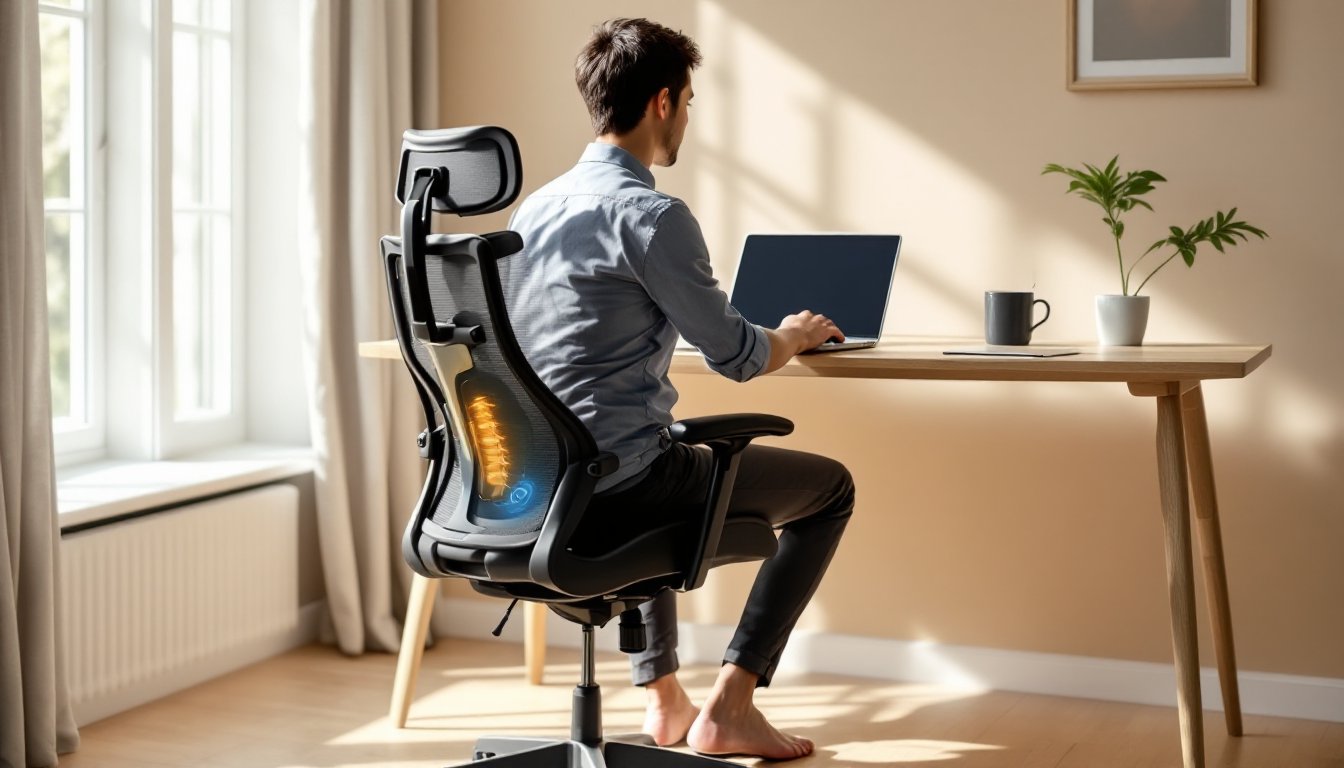
A chair with proper lumbar support maintains that natural curve by providing a firm cushion or adjustable mechanism that presses gently into the lower back. This keeps the spine aligned, distributes weight evenly, and reduces strain on surrounding tissues. Without it, someone might start slouching forward, which shifts weight onto the tailbone and upper back, a recipe for pain that radiates up the neck and down the legs.
For home office workers, this matters even more. Unlike traditional offices with ergonomic assessments and adjustable workstations, home setups often involve makeshift desks and hand-me-down chairs. Investing in a chair with solid lumbar support isn’t just about comfort, it’s about preventing injuries that could require physical therapy or medical intervention down the line.
The research backs this up. Studies on modern home design ergonomics show that proper seating directly impacts both physical health and cognitive performance. A supported spine means better circulation, less fatigue, and sharper focus throughout the workday.
Key Features to Look for in a Lumbar Support Office Chair
Not all lumbar support is created equal. Some chairs throw in a basic foam pad and call it a day. Others offer precision-tuned mechanisms that adapt to different body types and sitting styles. Here’s what separates the real contenders from the pretenders.
Adjustable Lumbar Mechanisms
The gold standard is dual-adjustable lumbar support, both height and depth. Height adjustment lets someone position the support pad exactly where their lower back curves (typically between the third and fifth lumbar vertebrae). Depth adjustment controls how far the pad pushes into the back.
Some mid-range chairs offer fixed lumbar pads that can’t be moved. These work fine if the chair happens to fit someone’s proportions, but they’re a gamble. Taller users often find the pad hits too low: shorter users might feel it pressing into their mid-back instead.
Higher-end models use dynamic lumbar support, which flexes and shifts as someone leans back or changes posture. This mimics the spine’s natural movement and prevents the support from becoming a pressure point during long stretches of sitting.
Skip chairs that rely solely on mesh tension for lumbar support unless the mesh has a reinforced lumbar zone. Standard mesh sags over time and loses its ability to maintain spinal alignment.
Seat Depth and Height Customization
Lumbar support doesn’t work in isolation, it needs to be paired with proper seat depth and seat height adjustments. If the seat pan is too deep, someone ends up perched on the front edge to avoid pressure behind the knees, which defeats the lumbar support entirely. If it’s too shallow, weight shifts to the tailbone.
Look for chairs with seat depth adjustment (also called seat slider or pan depth). This feature moves the seat cushion forward or backward by 2–3 inches, accommodating different leg lengths. The general rule: there should be 2–4 inches of clearance between the back of the knees and the front edge of the seat.
Seat height should allow feet to rest flat on the floor (or on a footrest) with thighs parallel to the ground and knees at roughly 90 degrees. Most office chairs offer pneumatic height adjustment via a gas cylinder, with a range of about 4–6 inches. Check the specified height range before buying, shorter users (under 5’4″) and taller users (over 6’2″) often need chairs outside the standard range.
Top Office Chairs with Superior Lumbar Support
Here are the chairs that consistently deliver on lumbar support, based on build quality, adjustability, and real-world durability.
Herman Miller Aeron (Remastered)
The Aeron remains the benchmark for ergonomic seating. Its PostureFit SL lumbar system uses dual pads, one stabilizes the sacrum (base of the spine), while the other supports the lumbar curve. Both pads adjust independently for height and depth. The mesh seat and back eliminate pressure points and promote airflow, which matters during long work sessions. Available in three sizes (A, B, C) to fit different body types. The downside: premium pricing (typically $1,400–$1,800 new). But it’s a buy-it-for-life chair with a 12-year warranty.
Steelcase Leap V2
The Leap’s LiveBack technology flexes with the spine as someone reclines, keeping lumbar support in constant contact. Its lumbar adjustment is simple, a knob at the base of the backrest moves the pad up and down. The seat depth slider is easy to reach and operates smoothly. The Leap handles a wide weight range (up to 400 lbs with the optional heavy-duty model) and comes in dozens of upholstery options. Price sits around $1,000–$1,300. Bonus: replacement parts are readily available, so it can be serviced for decades.
Autonomous ErgoChair Pro
For DIYers looking to balance budget and features, the ErgoChair Pro delivers solid value. It offers adjustable lumbar support (height and depth), a tilt-lock mechanism, and a breathable mesh back. The build quality isn’t quite at Steelcase or Herman Miller levels, plastic components instead of metal in some joints, but for $400–$500, it’s a strong contender. Just note that the lumbar pad is smaller than premium models, so taller users might find it doesn’t cover enough surface area.
Secretlab Titan Evo
Originally marketed to gamers, the Titan Evo has found a home in offices thanks to its magnetic lumbar pillow and integrated 4-way adjustable lumbar support. The memory foam seat holds up well over time, and the cold-cure foam doesn’t flatten like cheaper padding. The chair leans toward firmer support, which some users love and others find too rigid. Available in three sizes (Small, Regular, XL). Around $500–$600 depending on upholstery.
Branch Ergonomic Chair
A no-frills, high-function option at around $350. Adjustable lumbar depth, seat depth slider, and a weight capacity up to 275 lbs. The mesh is durable but not as refined as the Aeron’s. Still, for someone setting up a comfortable workspace on a modest budget, it’s hard to beat.
When evaluating chairs, sit in them if possible. If buying online, confirm the return policy, most ergonomic chair companies offer 30- to 60-day trial periods.
How to Set Up Your Chair for Optimal Lumbar Support
Buying the right chair is step one. Dialing in the adjustments is step two, and it’s where most people go wrong.
-
Adjust seat height first. Sit all the way back in the chair. Feet should rest flat on the floor, with thighs parallel to the ground or sloping slightly downward. If the desk is fixed-height and the chair needs to go higher to clear the armrests or keyboard tray, add a footrest to keep knees at 90 degrees.
-
Set seat depth. Slide the seat pan forward or backward so there’s 2–4 inches of clearance between the back of the knees and the seat edge. This prevents pressure on the hamstrings and allows full use of the lumbar support.
-
Position the lumbar support. Stand up, place a hand on the lower back, and feel where the spine curves inward, usually just above the belt line. Sit back down and adjust the lumbar pad (height and depth) so it fills that curve without pushing the hips forward. The support should feel present but not intrusive. If it forces an exaggerated arch, dial back the depth.
-
Adjust armrests. Arms should rest lightly on the armrests with shoulders relaxed, not hunched up or slumping down. Armrests set too high cause neck and shoulder tension: too low, and someone ends up leaning to one side. If the chair’s armrests don’t adjust enough, it’s better to remove them than to live with a bad position.
-
Set backrest tilt and tension. Most ergonomic chairs offer a tilt tension knob (usually under the seat) that controls how much resistance there is when leaning back. Set it so the backrest reclines smoothly without launching backward or requiring a hard shove. Lock the tilt if working on tasks that need a stable, upright posture: unlock it for reading or phone calls.
-
Check monitor and keyboard height. Even with a perfect chair, a poorly positioned monitor or keyboard will drag posture out of alignment. The top of the monitor should be at or slightly below eye level, about an arm’s length away. Keyboard should allow wrists to stay neutral, not angled up or down. Consider a monitor arm and keyboard tray if the desk isn’t adjustable.
Revisit these settings every few months. Bodies change, and so do work habits. A chair that felt perfect in January might need tweaking by summer.
For builders and woodworkers setting up home workshops, resources like Fix This Build That and Ana White’s plans offer DIY desk and workstation projects that pair well with ergonomic seating, think adjustable-height benches and tool storage that keeps everything within easy reach.
Conclusion
A chair with proper lumbar support isn’t a luxury, it’s a tool. It keeps the spine aligned, muscles relaxed, and focus sharp through long workdays. Whether someone’s spending $350 or $1,500, the key is adjustability, build quality, and a fit that matches their body. Set it up right, and back pain becomes a thing of the past.