If you’re setting up a home office or upgrading a worn-out chair that’s been murdering your lower back, Office Master is a brand worth understanding. Founded in 1990 and based in California, Office Master manufactures mid-to-high-end ergonomic task chairs engineered for all-day sitting, not the kind of chair you grab from a big-box store on clearance. They’re known for clean-lined designs, extensive adjustment options, and a build quality that sits between mainstream office furniture and ultra-premium European imports. This guide walks through what makes these chairs different, which models fit different needs, and how to dial them in properly so you’re not wasting money on features you’ll never adjust.
Table of Contents
ToggleWhat Makes Office Master Chairs Stand Out?
Office Master differentiates itself through multi-shift rated construction and modular customization. Most consumer-grade chairs are tested for single-shift use (8 hours): Office Master rates many models for 24/7 operation, meaning heavy-gauge steel frames, reinforced seat pans, and commercial-grade gas cylinders rated for 250,000+ cycles. That’s overkill for most home offices, but it translates to longevity.
The brand’s signature approach is component-level customization. Unlike pre-configured models, many Office Master chairs ship with your choice of armrests (height-adjustable, 4D, or pivoting), lumbar support systems (fixed, pneumatic, or removable), and seat depths. You’re basically spec’ing the chair like you’d configure a truck, more work upfront, but you get exactly what your body needs.
They also lean heavily into American manufacturing, with final assembly in Anaheim. Parts sourcing is global, but QC and build happens stateside, which means faster replacement parts and better customer service compared to import-only brands. Warranty coverage typically runs 12 years on structural components, with shorter coverage on upholstery and mechanisms.
One honest caveat: Office Master chairs aren’t cheap. Expect to spend $600–$1,400 depending on model and options. That’s a serious investment, but if you’re logging 40+ hours a week in the chair, the cost-per-hour over a decade drops below $0.05. Compare that to replacing a $200 chair every 18 months.
Top Office Master Chair Models for Your Home Office
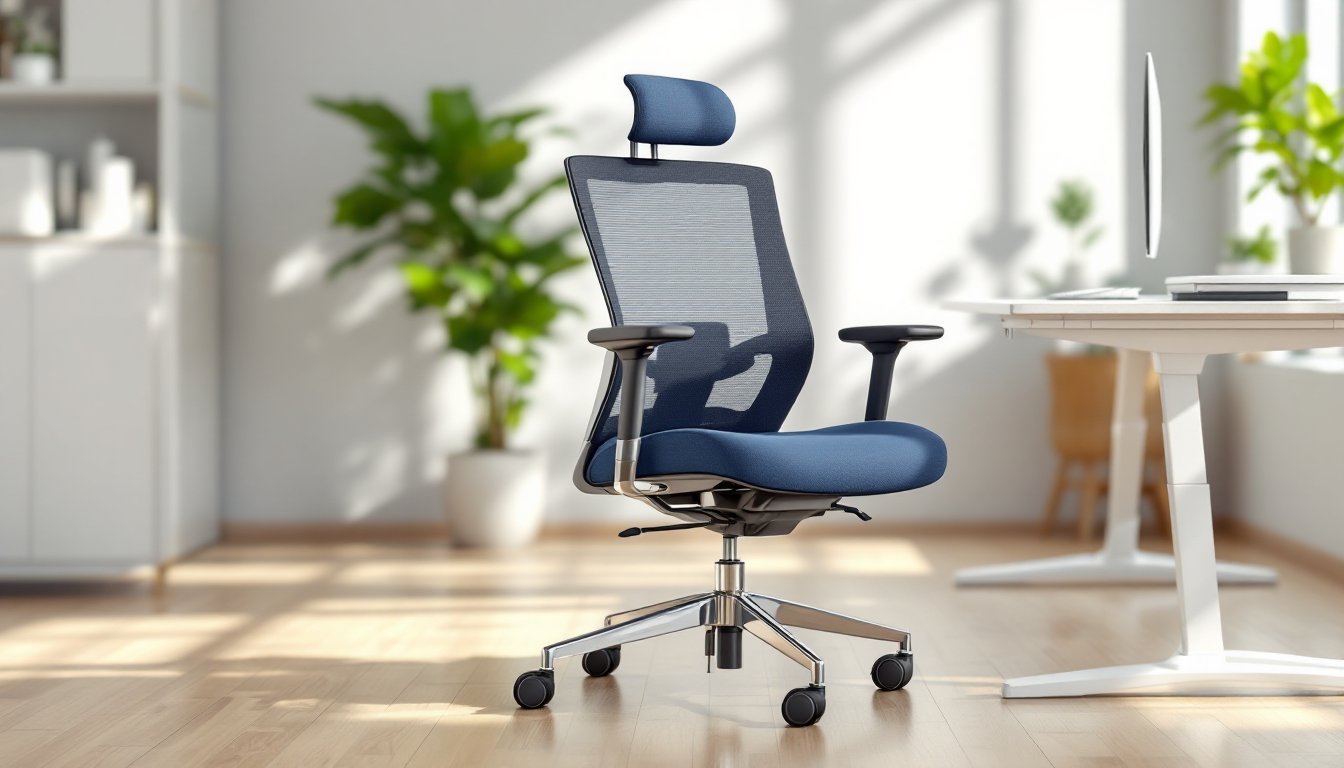
OM5 Series is the workhorse, Office Master’s best-seller for good reason. It features a contoured backrest with built-in lumbar curve, synchro-tilt mechanism (backrest reclines faster than seat), and a weight range up to 300 lbs. The OM5 works well for medium-to-large body types and offers mid-back or high-back options. It’s a straightforward, no-nonsense task chair without flashy styling.
YS Series (YS70, YS74, YS76) is the budget-friendly line, often hitting the $500–$700 range. The YS sacrifices some adjustability, fewer armrest options, simpler tilt, but keeps the durable frame and decent lumbar support. If you’re outfitting multiple workstations or need something reliable without breaking $800, start here.
Paramount Series (PT78, PT79) steps into executive territory with taller backs, plush cushioning, and polished bases. The PT78 adds a padded headrest and upgraded upholstery options (leather, bonded leather, or premium mesh). This is the chair for video calls where your background matters, though ergonomically it’s not dramatically better than the OM5.
For small spaces or lighter users, the Affirm Series (AF528, AF588) offers compact footprints and lower seat heights. These models work well in shared spaces or for users under 5’6″ who find standard chairs too deep. Seat depth is 16–17 inches (vs. 18–20″ on full-size models), and the narrower backrest fits tighter quarters.
While exploring comfortable office chairs for extended use, many users prioritize mesh over upholstery for breathability. Office Master’s OM5 Mesh variant uses Eurotech-style tensioned mesh on the backrest, which stays cooler during long sessions but offers less cushioned support than foam.
Ergonomic Features That Matter Most
Lumbar support is where most DIY chair setups fail. Office Master offers three types: fixed contour (built into the backrest shape), pneumatic adjustable (air bladder you inflate via a bulb pump), and removable pad systems. Pneumatic gives the most control, you’re tuning pressure and height independently, but it’s one more thing to fiddle with. If your lower back curve is average, fixed contour works fine and eliminates moving parts.
Synchro-tilt mechanism reclines the backrest at a 2:1 or 3:1 ratio compared to the seat pan. This keeps your feet planted while you lean back, unlike free-float mechanisms that pitch your whole body backward. Look for tilt tension adjustment (a knob under the seat) and tilt lock at multiple angles, not just upright. Office Master includes both on most models.
Seat depth adjustment matters if you’re shorter than 5’8″ or taller than 6’2″. A seat that’s too deep forces you to choose between lumbar contact or cutting off circulation behind your knees. Office Master’s slider mechanism provides 2–3 inches of travel, controlled by a paddle under the seat front. Measure your thigh length (hip to back of knee while seated): you want 2–3 inches of clearance between seat edge and the back of your knee.
Armrests are overrated by beginners, critical for experienced users. Height-adjustable arms are baseline: 4D arms (height, width, depth, pivot) let you dial in forearm support that follows your desk edge and keyboard position. If you type with arms floating, fixed or no arms work fine. If you rest forearms while mousing, invest in 4D.
Gas cylinder height range varies by model. Standard cylinders offer 4–5 inches of travel: extended-height cylinders add another 2 inches for standing-desk compatibility or very tall users. Your seated elbow height should align with your desk surface when feet are flat. If you need the chair at max height to achieve this, you need a taller cylinder or a lower desk.
How to Choose the Right Office Master Chair for Your Workspace
Start with body measurements, not aesthetics. Sit in a chair (any chair) with feet flat, knees at 90°, and back against the backrest. Measure:
- Seat height: floor to back of knee (subtract 1 inch for shoe compression)
- Seat depth: hip to back of knee
- Back height: seat surface to shoulder blades (for mid-back) or top of shoulders (for high-back)
Cross-reference these with Office Master’s spec sheets. If your seat height measurement is 16–18 inches, you’re in the standard range: below 16″, look at Affirm or custom short-cylinder options.
Desk compatibility matters more than most realize. A fixed-height desk at 29–30 inches works for users 5’6″–6’0″ with standard cylinders. Taller or shorter? You’ll need either an adjustable-height desk or a custom cylinder. Don’t fix a furniture mismatch with bad posture.
For context on creating a complete setup, consulting an office essentials list ensures your monitor height, keyboard tray, and footrest (if needed) align with your chair adjustments.
Flooring type determines caster choice. Hard casters (plastic or nylon) suit carpet: soft casters (rubber or polyurethane) protect hardwood and tile. Office Master ships with hard casters by default, if you have luxury vinyl plank or engineered hardwood, swap them immediately or use a polycarbonate chair mat (avoid PVC mats: they off-gas and yellow).
Usage hours inform upholstery choice. Under 6 hours/day: any fabric works. Over 8 hours/day: mesh backrests or breathable woven fabrics reduce sweat buildup. Bonded leather looks sharp but delaminates under heavy use, genuine leather or commercial-grade vinyl last longer.
Budget reality check: If $1,000+ feels excessive, consider certified refurbished Office Master chairs from office furniture liquidators. You’ll save 40–60%, though color and option choices narrow. For high-stakes workspaces where style is part of the job, design-focused publications like Elle Decor often feature ergonomic chairs that balance aesthetics and function.
Setting Up Your Office Master Chair for Maximum Comfort
Unbox and inspect welds and joints before assembly. Look for clean welds on the five-star base and no play in the tilt mechanism. Office Master uses heliarc welding on frames, you shouldn’t see gaps or splatter.
Assembly is straightforward: insert gas cylinder into base (no tools needed), slide seat mechanism onto cylinder (listen for the click), attach backrest to seat pan (typically four bolts, 7/16″ or 1/2″ hex head). Torque bolts snug but don’t overtighten: you’re biting into steel inserts, not threading into plastic.
Seat height first: Sit with feet flat. Adjust so thighs are parallel to the floor or sloping slightly down (hips marginally higher than knees). The release lever is usually right side, under the seat.
Seat depth next: Slide the seat pan so there’s 2–3 finger widths (about 2 inches) between the seat edge and the back of your knees. Lock it down. Many users skip this step and wonder why they get numb legs after an hour.
Lumbar support: If pneumatic, inflate until you feel light pressure on your lower back curve (around the belt line). Overinflating pushes you forward out of the seat. If fixed, adjust backrest height (some models allow this via a clamp or ratchet system).
Armrests: Set height so forearms rest lightly when shoulders are relaxed, not shrugged, not slumped. Width should let arms hang naturally from shoulders. Depth places the armrest pad under your forearm about 2 inches back from your elbow. Pivot (if equipped) should angle inward slightly to follow natural forearm taper.
Tilt tension and lock: Increase tension (clockwise) if the chair reclines too easily: decrease if it feels locked up. Test reclining with hands behind your head, you should be able to rock smoothly without launching backward. Lock the tilt upright for focused work, unlock for reading or calls.
Monitor and keyboard alignment: Once the chair is dialed, adjust peripherals. Top of monitor at or slightly below eye level: keyboard at elbow height. If your desk is too high, add a keyboard tray (Humanscale or 3M make solid options). If it’s too low and you can’t raise it, you’ll need a taller desk or a lower chair, don’t compromise seated posture.
Maintenance Tips to Extend Your Chair’s Lifespan
Vacuum fabric upholstery monthly with a brush attachment to pull dust and debris from weave. For spills, blot immediately with a damp microfiber cloth, no rubbing. Stubborn stains respond to mild upholstery cleaner (test on a hidden seam first). Avoid bleach or solvent-based products: they degrade fabric backing.
Mesh backrests need less care but collect dust in the weave. Wipe with a barely damp cloth every few weeks. Don’t saturate the mesh, moisture can migrate to the frame and cause surface rust on untreated steel.
Lubricate tilt mechanisms annually. Flip the chair over, locate the pivot points (where the tilt arms meet the seat pan), and apply white lithium grease or silicone spray. Wipe off excess. This eliminates squeaks and keeps the synchro action smooth. Do NOT use WD-40: it attracts dust and gums up over time.
Inspect gas cylinder for slow descent. If the chair gradually sinks while you’re seated, the cylinder seal is failing. Replacement cylinders cost $30–$60 and swap in minutes (remove seat from old cylinder with a mallet tap from below, install new one). Office Master cylinders are standard Class 4 rating (heavy-duty): aftermarket replacements work but verify load rating.
Check casters quarterly. Hair and carpet fibers wrap around the axles, causing drag and uneven rolling. Pop the caster from the base (pull straight out), cut away debris with a utility knife, wipe the wheel and axle with isopropyl alcohol, reinstall. If a caster wobbles or drags even though cleaning, replace it. Casters are universal fit by stem diameter (7/16″ or 11mm for most Office Master models).
Armrest pads wear fastest. Polyurethane pads flatten and crack after 3–5 years of heavy use. Replacement pads run $20–$40 per pair direct from Office Master or third-party suppliers. Some users prefer adding gel armrest covers for extra cushion, they slip over existing pads and extend life.
For those incorporating chairs into broader renovation projects, resources like Dwell highlight how durable, modern furniture can anchor a well-designed workspace. Re-tighten all bolts annually. Vibration and movement gradually loosen connections. A quick pass with a hex key takes five minutes and prevents wobbly backrests or armrests.
Conclusion
Office Master chairs earn their price through measurable durability and deep adjustability, not hype. If you’re setting up a home office for the long haul and your back’s already sending warning signals, the investment pays off faster than you’d expect. Just don’t skip the setup, an $1,100 chair adjusted wrong performs worse than a $300 chair dialed in properly. Measure, adjust, maintain, and you’ll likely forget what back pain felt like.