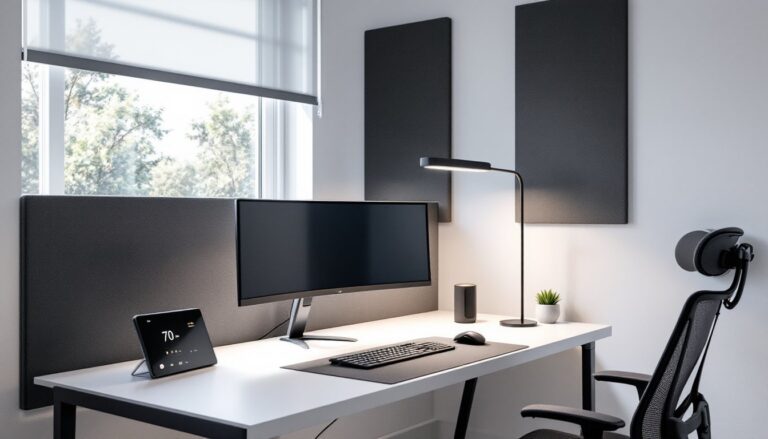

Choosing an office task chair isn’t about chasing the most expensive ergonomic throne or settling for whatever’s on sale. It’s about matching features to how you actually work, whether that’s eight-hour coding marathons, bouncing between video calls, or sketching plans at a drafting table. A well-chosen task chair supports posture, reduces fatigue, and holds up to daily use without squeaking or sagging after six months. This guide walks through what separates a solid work chair from a disposable one, which features matter most, and how to dial in adjustments so the chair works for the body, not against it.
Table of Contents
ToggleKey Takeaways
- A quality office task chair must support the natural spine curve, adjust to different body types, and withstand daily use without degradation.
- Lumbar support, seat depth adjustment, and adjustable armrests are non-negotiable features that prevent slouching, poor posture, and shoulder strain.
- Choose an office task chair based on daily usage hours, desk height, specific work tasks, and body dimensions rather than price alone.
- High-density foam, tensioned mesh, and sturdy frames (cast aluminum or steel tubing) indicate durability, while warranties of five years or longer signal manufacturer confidence.
- Proper adjustment of seat height, depth, lumbar support, and armrest position directly impacts comfort and prevents chronic pain during extended work sessions.
- Budget $250–$400 for an office task chair that balances good adjustability and materials that last, with routine maintenance extending its lifespan.
What Makes a Great Office Task Chair?
A great task chair does three things well: it supports the natural curve of the spine, adjusts to fit different body types and tasks, and holds up under daily use without falling apart.
Lumbar support is non-negotiable. The chair should have a contoured backrest or adjustable lumbar pad that fills the gap at the lower back. Without it, users slouch forward, compressing the spine and straining muscles. Look for chairs with adjustable lumbar depth and height, fixed support only works if the user’s back happens to align perfectly with the factory setting.
Seat depth and width matter more than most people realize. A seat that’s too deep forces shorter users to choose between back support and dangling feet. Too shallow, and taller users perch on the edge. A good task chair offers seat depth adjustment (also called seat pan slide) of at least 2–3 inches. Width should accommodate hips comfortably without pinching.
Armrests should adjust in height, width, and ideally angle. Fixed arms either force shoulders up (causing neck strain) or hang uselessly low. Adjustable arms let forearms rest parallel to the desk, reducing shoulder tension during keyboard work.
Swivel and mobility are standard, but the base matters. A five-point star base with smooth-rolling casters prevents tipping and spreads weight evenly. Hard floor casters differ from carpet casters, using the wrong type makes the chair either sluggish or too skittery.
Weight capacity isn’t just about size. Chairs rated for higher weight typically use stronger frames, thicker foam, and heavier-duty mechanisms. A chair rated for 250 lbs will wear out faster under a 220-lb user than one rated for 350 lbs.
Key Features to Look for in Your Next Task Chair
Ergonomic Adjustments and Support
The difference between a chair that fits and one that fights comes down to how many points adjust, and how easy those adjustments are to make.
Seat height adjustment is basic but critical. The pneumatic cylinder should lift the seat high enough for tall users (18–22 inches is standard range) and low enough for shorter users to plant feet flat on the floor. If feet dangle, circulation suffers and posture collapses.
Tilt tension and lock let the user control how much resistance the backrest offers when leaning back. Light users need less tension: heavier users need more to avoid tipping backward. A tilt lock in multiple positions (not just upright) lets the user recline slightly while staying supported, useful for reading or phone calls.
Synchro-tilt mechanism moves the seat and backrest together at different ratios (typically 2:1), keeping the user balanced as they recline. Cheaper chairs use a knee-tilt or center-tilt mechanism, which can feel awkward and lift the front of the seat, cutting off circulation behind the knees.
Headrests are optional but valuable for taller users or anyone who spends time on calls. A headrest that adjusts in height and angle prevents the neck from craning backward.
Many users spend decades in comfortable office chairs without realizing their setup is working against them.
Materials, Durability, and Build Quality
A task chair that looks good in a showroom can still fall apart after a year of use. Material choice and construction quality separate durable chairs from disposable ones.
Mesh backrests offer breathability and flex with the spine, but cheap mesh sags quickly. Look for tensioned mesh (like that used in high-end models tested by independent reviewers) that maintains shape over time. Mesh should be replaceable if it stretches out.
Foam seat cushions vary wildly. High-density foam (at least 2.0 lbs/ft³) holds its shape longer than low-density foam, which bottoms out and loses support. Some chairs use molded foam with firmer edges to prevent users from sliding forward.
Upholstery fabric should breathe and resist pilling. Polyester blends work well for most uses. Leather looks sharp but can get sticky in warm offices. Vinyl is durable but doesn’t breathe at all.
Frame materials range from stamped steel (cheapest, prone to bending) to cast aluminum or steel tubing (strongest). A sturdy frame doesn’t flex or creak under use. Plastic components should be reinforced nylon or polypropylene, not brittle ABS.
Warranty length signals the manufacturer’s confidence. A five-year warranty on mechanisms and structure is standard for decent chairs. Ten-year or twelve-year warranties usually indicate commercial-grade construction.
How to Choose the Right Task Chair for Your Home Office
Matching a chair to the workspace and work style prevents buying the wrong chair twice.
Start with how many hours per day the chair will see use. Under four hours? A basic task chair with lumbar support and height adjustment will suffice. Over six hours daily? Invest in a chair with full adjustability, quality materials, and a solid warranty.
Desk height and type affect chair choice. Standard desks sit at 29–30 inches. If using a standing desk converter or drafting table, ensure the chair’s height range can reach the needed level. Some task chairs max out too low for higher work surfaces.
Task type matters. Keyboard-heavy work benefits from armrests that support forearms without forcing shoulders up. Drawing or drafting often works better with no armrests or flip-up arms that get out of the way. Video calls and phone work favor a headrest.
Body dimensions drive fit. Taller users (over 6 feet) need a taller backrest and deeper seat pan. Shorter users (under 5’4″) need a chair that adjusts low enough for feet to rest flat, plus a shorter seat depth. Users over 250 lbs should verify the chair’s weight capacity and look for reinforced frames.
Space constraints in compact home offices may rule out chairs with wide arm spans or deep recline ranges. Measure the area where the chair will roll and swivel before buying.
Budget realistically ranges from $150 for entry-level task chairs to $500+ for commercial-grade models. Spending $250–$400 typically lands a chair with good adjustability and materials that last. Used office furniture dealers often stock high-end chairs at steep discounts, just inspect the mechanisms and foam carefully.
Several expert-tested office chairs balance ergonomics and durability for typical home office needs. When assembling a full workspace, pairing the chair with other essential office items creates a cohesive setup.
Setting Up Your Task Chair for Maximum Comfort and Productivity
Buying the right chair is half the job. Dialing in the adjustments makes the difference between comfort and chronic pain.
Seat height: Adjust so feet rest flat on the floor (or footrest) with thighs parallel to the ground. Knees should sit at roughly 90 degrees. If the desk feels too high after adjusting the chair, raise the chair and add a footrest rather than lowering the chair and hunching forward.
Seat depth: Slide the seat pan so there’s 2–4 inches of clearance between the back of the knees and the seat edge. Users should sit all the way back against the lumbar support without the seat pressing into the back of the knees.
Lumbar support: Adjust the lumbar pad or backrest curve to fill the gap at the lower back. The support should feel like a gentle push forward at belt level, not a hard knot mid-spine. If the chair lacks adjustable lumbar support, a small rolled towel or aftermarket lumbar cushion can help.
Armrest height: Set armrests so forearms rest lightly while shoulders stay relaxed. Arms should form a 90-degree angle at the elbow when typing. If the armrests force shoulders up or make the user perch forward, lower them or remove them.
Armrest width: If adjustable, set armrests wide enough to support elbows without squeezing the torso or forcing arms out to the sides.
Backrest tilt tension: Adjust the tension knob so the backrest reclines smoothly without tipping backward unexpectedly. Lighter users need less tension: heavier users need more. Test by leaning back gently, there should be slight resistance, not a sudden tip or rigid lock.
Tilt lock: For tasks requiring focus (typing, detailed work), lock the backrest upright or at a slight recline (95–100 degrees). For reading or calls, unlock the tilt or lock it at a more reclined angle (100–110 degrees).
Headrest (if present): Adjust height so the curve of the headrest cradles the base of the skull without forcing the head forward. The headrest should support the head during recline, not push it into a forward tilt.
Break in the chair over a few days. Foam compresses slightly with use, and the body adapts to new support. Make small adjustments as needed rather than changing everything at once.
Maintenance: Tighten bolts and screws every few months, chairs loosen with use. Vacuum fabric upholstery or wipe down mesh and vinyl weekly to prevent grime buildup. Lubricate the pneumatic cylinder and tilt mechanism annually if the chair squeaks or sticks.
Creative DIYers sometimes adapt budget chairs with aftermarket parts or modify existing furniture for custom solutions. For a broader look at workspace ergonomics, consider how the chair fits into the overall home office layout.
Conclusion
The right task chair isn’t a luxury, it’s infrastructure. Choosing one means matching adjustability and build quality to how the space gets used, then taking the time to dial in those adjustments. A well-fitted chair pays for itself in comfort, focus, and fewer trips to the chiropractor.