A smart home office isn’t just about plugging in a couple of gadgets and calling it done. It’s about creating a workspace that responds to how you actually work, adjusting lighting when glare hits your monitor, keeping climate consistent so you’re not cranking the thermostat every hour, and integrating technology that handles repetitive tasks while you focus on what matters. In 2026, smart tech has matured past the novelty phase. Devices communicate better, setup is more straightforward, and the ROI in comfort and productivity is real. This guide walks through what makes an office “smart,” which technology delivers tangible benefits, and how to design a layout that supports both.
Table of Contents
ToggleKey Takeaways
- A smart home office integrates connected lighting, climate control, and voice assistants to automate environment adjustments and reduce manual tasks throughout your workday.
- Smart lighting with color temperature adjustment (5000K–6500K for focus, 2700K–3000K for evening) reduces eye strain and supports better productivity across different times of day.
- Cross-compatible devices using Matter or established ecosystems like Apple HomeKit, Google Home, and Amazon Alexa eliminate connectivity frustration and maximize automation potential.
- Smart thermostats and vent systems learn your schedule and adjust temperatures before discomfort occurs, directly improving focus and reducing constant thermostat adjustments.
- Start with essential smart home office technology—lighting, climate, and a voice hub—then expand into sensors and automation as you identify specific pain points in your workflow.
- Proper hub placement (central location, away from metal furniture) and cable management with surge-protected power strips ensure reliable connectivity and a functional workspace.
What Makes a Home Office ‘Smart’?
A smart home office integrates connected devices that automate environment control, streamline workflow, and reduce manual adjustments throughout the workday. The key differentiator isn’t the number of devices, it’s how well they work together.
Automation over gadgets. A single smart thermostat that learns your schedule beats a drawer full of unused dongles. Look for devices that support Matter (the universal smart home standard rolled out in 2022 and now widely adopted) or work within established ecosystems like Apple HomeKit, Google Home, or Amazon Alexa. Cross-compatibility eliminates the frustration of devices that can’t talk to each other.
Sensors and triggers. Motion sensors, light sensors, and occupancy detectors allow devices to respond without voice commands or app taps. A motion sensor can wake your desk lamp when you sit down and turn off overhead lights when you leave for lunch. That’s smart. Fumbling with an app to toggle lights? Not so much.
Data feedback. Some smart devices track patterns, when you’re most active, when air quality dips, when you adjust temperature. Over time, they adapt. A smart thermostat like the Ecobee SmartThermostat or Google Nest Learning Thermostat will anticipate your preferences and adjust heating or cooling before you notice discomfort.
The baseline for a functional smart office includes connected lighting, climate control, and at least one hub or voice assistant to tie it together. Everything beyond that, smart plugs, motorized desk controllers, air quality monitors, adds convenience but isn’t essential for the core experience.
Essential Smart Technology for Your Home Office
Intelligent Lighting and Climate Control
Lighting is the most impactful upgrade in a smart office. Poor lighting causes eye strain, headaches, and a late-afternoon slump that no amount of coffee fixes. Smart bulbs like Philips Hue, LIFX, or Wyze Bulbs allow you to adjust color temperature and brightness throughout the day.
Color temperature matters. Cooler light (5000K–6500K) mimics daylight and supports focus during morning and midday hours. Warmer light (2700K–3000K) reduces blue light exposure in late afternoon, easing the transition toward evening. Many bulbs automate this shift using circadian rhythm presets.
If you’re working with existing fixtures, smart switches (Lutron Caséta, Leviton Decora) control all bulbs on a circuit without replacing each one. Installation requires basic electrical work, turning off the breaker, removing the old switch, connecting line and load wires to the new smart switch, and installing the included wall plate. If you’re uncomfortable working inside a live electrical box, hire an electrician. Most jurisdictions don’t require a permit for replacing a switch, but verify local codes.
Smart desk lamps are a plug-and-play alternative. Models like the BenQ ScreenBar or Dyson Lightcycle adjust brightness based on ambient light sensors and time of day. They’re pricier than a standard lamp, but the automatic adjustments are worth it if you move between tasks, screen work, reading documents, video calls, throughout the day.
Climate control directly affects focus. A room that’s too warm makes you sluggish: too cold, and you’re distracted by discomfort. Smart thermostats learn your schedule and adjust temps before you arrive at your desk. If your office shares HVAC zones with the rest of the house, a smart vent (Flair or Keen) can redirect airflow to your workspace without affecting other rooms. These battery-powered vents replace standard floor or ceiling registers and open or close based on room temperature and occupancy sensors.
For spaces without central HVAC, garages, basements, or bonus rooms converted to offices, a smart portable AC unit or space heater with app control keeps temps consistent. Brands like GE and Midea offer window units and portables that integrate with Alexa or Google Home, allowing you to set schedules or trigger cooling when a motion sensor detects you’ve entered the room.
Voice Assistants and Smart Displays
Voice assistants handle quick tasks without breaking workflow: setting timers, checking calendar appointments, controlling devices, or pulling up weather while you’re mid-task. The three major platforms, Amazon Alexa, Google Assistant, and Apple Siri (via HomePod), each have trade-offs.
Amazon Alexa has the widest device compatibility and robust routines. You can create a “Start Work” routine that adjusts lights, sets thermostat to 70°F, opens blinds (if you have smart shades), and starts a focus playlist, all with one voice command. The Echo Show 8 or Echo Show 10 add a display for video calls, calendar widgets, and quick-glance info without opening your laptop.
Google Assistant integrates seamlessly with Google Workspace (Gmail, Calendar, Meet). If your workflow lives in Google’s ecosystem, the Nest Hub Max is a natural fit. Voice commands like “Hey Google, when’s my next meeting?” pull calendar data instantly. Google’s natural language processing handles follow-up questions better than Alexa, “What about tomorrow?” works without re-stating the full query.
Apple Siri via HomePod or HomePod Mini is the best choice if you’re already invested in Apple devices and use HomeKit-certified smart home gear. Siri’s voice recognition is solid, but its third-party integrations lag behind Alexa and Google. If most of your devices support HomeKit, it’s seamless. If not, you’ll hit limitations.
Smart displays double as secondary monitors for glanceable info, weather, task lists, security camera feeds. Mounting one on the wall (use drywall anchors rated for at least 10 lbs to support the device and power cable) keeps desk space clear. Avoid placing displays where screen glare from windows will wash out visibility.
Smart plugs extend voice control to non-smart devices. Plug a desk fan, task light, or white noise machine into a smart plug (TP-Link Kasa, Wemo, or Wyze), and you can control it via voice or app. Many plugs also track energy usage, which is useful if you’re running equipment like space heaters or laser printers that draw significant power.
Designing Your Smart Home Office Layout
Smart tech only delivers if the layout supports how you work. Start with desk placement. Position your desk perpendicular to windows rather than facing them (to avoid glare on screens) or with your back to them (which creates silhouetting on video calls). If window placement forces compromise, install smart blinds (Lutron Serena, IKEA Fyrtur) to automate light control based on time of day or sun position.
Cable management becomes critical when you’re adding smart devices. Every sensor, hub, display, and lamp needs power. Use a surge-protected power strip (at least 1000 joules rating) with USB ports to consolidate chargers. Mount it under the desk with adhesive clips or screws into the underside (pre-drill pilot holes if using particleboard or MDF to prevent splitting). Route cables through a cable sleeve or J-channel to keep them off the floor.
Ergonomics and smart tech overlap with motorized standing desks. Models like the Uplift V2 or Fully Jarvis offer app control and memory presets, but they’re not “smart home” integrated in the traditional sense, you can’t trigger them via Alexa or Google Assistant without third-party workarounds like smart plugs paired with custom routines. If standing desk functionality is priority, the motorized convenience is worth it even without full ecosystem integration.
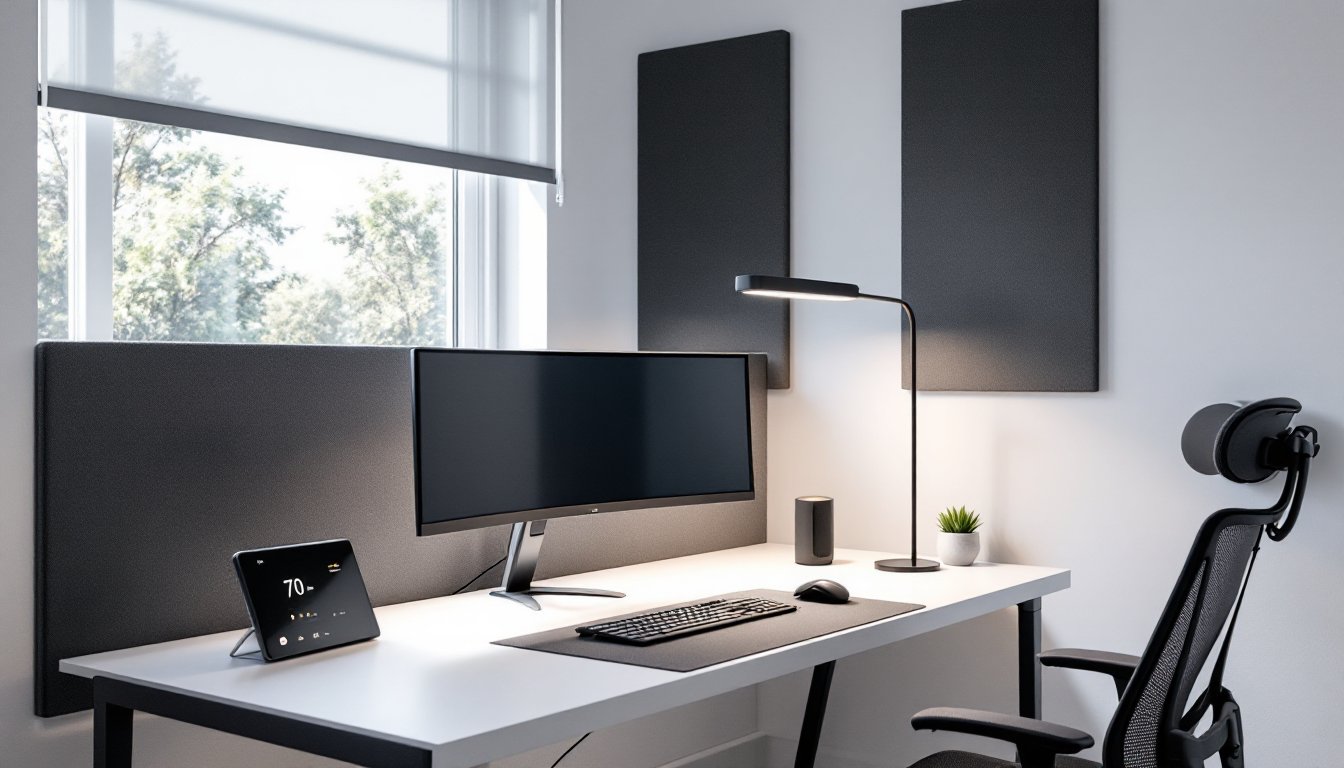
Acoustic treatment pairs with smart speakers and video call quality. Echo and reverb make you sound like you’re in a garage on Zoom calls. Add acoustic panels (2–4 panels, 2’×4′ each, mounted on the wall behind your desk or on adjacent walls) to dampen reflections. Panels install with adhesive strips (Command Picture Hanging Strips rated for 16 lbs work for lightweight foam panels) or Z-clips screwed into studs for heavier fiberglass panels.
For home office setups in smaller rooms, smart devices that consolidate function save space. A smart display replaces a separate clock, calendar, and photo frame. A two-person workstation layout benefits from individual smart task lighting so each person controls their own brightness without affecting the other.
Placement of hubs and sensors matters for reliable connectivity. Most smart hubs (Amazon Echo, Google Nest, etc.) use Wi-Fi or Zigbee/Z-Wave mesh protocols. Place the hub centrally in your office, not tucked inside a file cabinet or behind a metal desk, which blocks signals. If your office is far from your main router, add a Wi-Fi mesh node (Eero, Google Nest Wifi, or Ubiquiti) to ensure strong signal for all connected devices.
Smart tech is iterative, you don’t need to overhaul everything at once. Start with lighting and climate control, add a voice assistant, then expand into sensors and automation as you identify pain points. The goal isn’t a showroom office stuffed with gadgets: it’s a workspace that adapts to you instead of the other way around.
Conclusion
A smart home office in 2026 isn’t about futurism, it’s about eliminating friction. The right mix of connected lighting, climate control, and voice integration creates a workspace that adjusts to your day rather than demanding constant micro-management. Start with the essentials, build out as needs emerge, and prioritize devices that communicate across platforms. The tech exists. The question is whether your office is using it.