Setting up a two desk home office isn’t just about shoving two desks into a spare room and calling it done. Whether it’s a couple working from home, siblings sharing study space, or a solo professional who needs separate zones for different tasks, a dual desk layout demands smart planning. Get it right, and both users enjoy elbow room, minimal distraction, and natural workflow. Get it wrong, and you’re bumping chairs, fighting over outlets, and resenting every Zoom call. This guide walks through layout options, spacing rules, and practical design choices to help anyone create a functional, comfortable two desk office.
Table of Contents
ToggleKey Takeaways
- A two desk home office layout requires careful planning of room dimensions, electrical outlets, and lighting placement to ensure both users have comfortable, functional workspaces.
- Parallel (side-by-side) and L-shaped corner configurations are the most practical two desk layouts, with parallel setups favoring collaboration and corner setups maximizing space in smaller rooms.
- Proper spacing of at least 48–60 inches per desk (depth and chair combined) plus 36–42 inch walkways behind chairs ensures comfortable movement and prevents the claustrophobic feeling common in cramped dual-desk setups.
- Each desk should have dedicated task lighting with 500+ lumens, adjustable arms to reduce screen glare, and separate outlet access to meet power demands safely without violating electrical codes.
- Cable management, acoustic treatment with rugs and panels, and user-specific storage are non-negotiable details that transform a cramped two desk office into a professional, distraction-free workspace.
- Ergonomic considerations like adjustable-height desks, proper monitor positioning at eye level, and quality chairs with lumbar support prevent back pain and boost productivity for long-term remote work.
Why Choose a Two Desk Home Office Layout?
A two desk setup solves real problems that single-desk arrangements can’t handle. For couples or housemates both working remotely, separate desks eliminate the awkwardness of back-to-back video calls or one person monopolizing the surface area. Parents supervising remote learning appreciate the ability to monitor kids while handling their own tasks. Freelancers and small business owners often use dual desks to physically separate “admin work” from “creative work,” a surprisingly effective productivity hack.
Beyond function, dual desks add symmetry and intentionality to a room. A well-planned home office design elevates the space from “spare bedroom with furniture” to a legitimate workplace. That psychological shift matters when motivation lags.
But honesty first: two desks demand more square footage, more electrical planning, and more coordination on cable management and lighting. If the room is under 10 feet by 10 feet, cramming in two full-size desks often feels claustrophobic. In those cases, floating shelves, wall-mounted drop-leaf desks, or a single large workstation with defined zones may serve better. Know your limits before buying furniture.
Planning Your Two Desk Office Space
Planning beats guessing. Before dragging desks around, map the room on graph paper or use a free online room planner. Mark windows, doors, outlets, HVAC vents, and any structural elements like built-in shelving or radiators. These fixed features dictate desk placement more than personal preference does.
Electrical and data needs come next. Each desk typically requires at least two outlets for a computer, monitor, lamp, and phone charger. If the room only has one duplex outlet on a single wall, budget for an electrician to add circuits or invest in a heavy-duty surge protector rated for at least 1800 watts. Daisy-chaining power strips is a fire hazard and violates NEC guidelines in most jurisdictions. Don’t skip this step.
Lighting deserves equal attention. Natural light reduces eye strain, but glare on monitors is a headache. Position desks perpendicular to windows when possible, not facing them directly. For artificial light, plan on task lighting at each desk (adjustable LED desk lamps work well) plus ambient overhead lighting. A room with two people needs roughly 50–75 lumens per square foot for comfortable work, according to standard lighting recommendations from Real Simple.
Measuring Your Room and Desk Placement
Start with the room’s usable floor area, not just overall dimensions. Subtract space occupied by door swing (typically 30–36 inches), walkways, and any furniture that’s staying put. The International Residential Code (IRC) recommends a minimum 30-inch clearance for egress paths, but comfortable movement in a workspace needs closer to 36–42 inches behind each desk chair when pulled out.
Standard desk depth ranges from 24 to 30 inches. Add the chair depth (another 24–30 inches when occupied) and you’re looking at 48–60 inches of depth per desk, not counting the walkway behind it. Width varies wildly, compact desks start at 40 inches, while executive models stretch past 72 inches. Measure twice, buy once.
For a typical 12-foot by 12-foot room, a parallel layout with two 60-inch wide by 30-inch deep desks along opposite walls leaves roughly 48 inches of shared floor space in the middle, tight but workable. Bump up to a 14-foot by 12-foot room and comfort improves dramatically. If the room is smaller, consider 48-inch desks or one full desk paired with a compact model.
Best Two Desk Layout Configurations
Layout choice hinges on room shape, user needs, and whether the two people need to collaborate or work independently. Here are the three most practical configurations.
Parallel Layout: Side-by-Side Setup
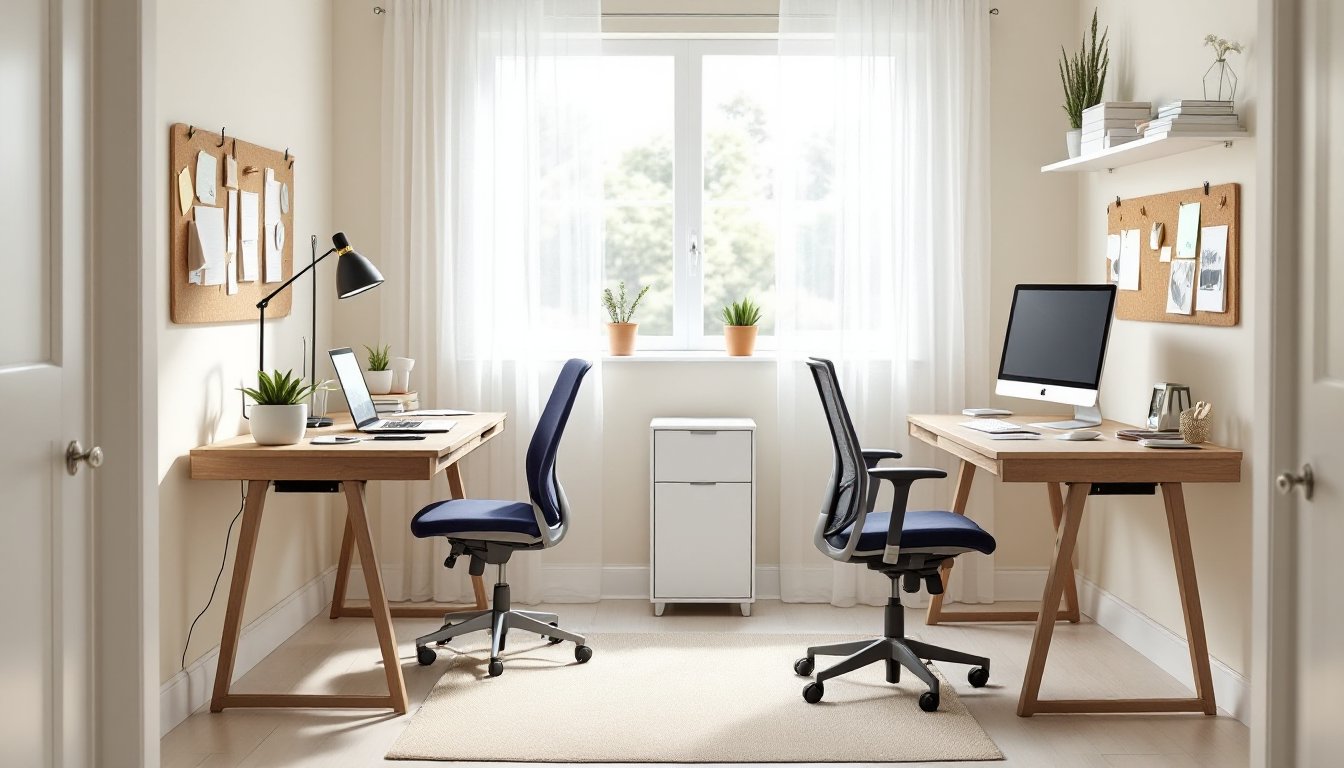
This is the go-to for rectangular rooms and users who want equal access to windows or views. Place both desks along the same wall, separated by a small gap or a shared filing cabinet. It’s clean, symmetrical, and maximizes wall space for shelving or pin boards.
Pros: Simple to wire (one power strip can serve both desks), encourages a sense of teamwork, and keeps pathways open. Works well for siblings or coworkers on similar schedules.
Cons: Limited privacy. If both users are on calls simultaneously, sound bleed is inevitable. Consider a freestanding acoustic panel or bookshelf between desks if noise is a concern. Also, this layout hogs one entire wall, leaving less flexibility for other furniture.
Desk spacing: Leave at least 24 inches between desk edges. That’s enough to avoid elbow collisions but close enough to share a desk lamp or pass papers without standing. If one user is left-handed and the other right-handed, arrange desks so dominant hands face away from each other, subtle, but it prevents constant bumping.
Many people find that organizing a two person desk home office with a parallel setup offers the best balance of collaboration and personal space, especially when working on similar tasks.
L-Shaped and Corner Configurations
L-shaped layouts position desks along two adjacent walls, forming a right angle. This setup is ideal for rooms with windows on two walls or for users who need distinctly separate work zones. One desk might handle computer-heavy tasks while the other serves as a layout table for paperwork, crafts, or equipment.
Pros: Maximizes corner real estate, which is often wasted. Gives each user a dedicated “side” of the room, reducing visual and auditory distraction. A corner desk or custom-built unit can unify the look and add shared storage in the corner itself.
Cons: Cable management gets tricky, two walls mean two outlet locations, often far apart. Extension cords and cable raceways become necessary. Also, whoever sits in the corner position has less egress flexibility if the other person’s chair is pulled out. Not ideal if one user moves around frequently.
Corner desk option: Prefab L-shaped corner desks (often marketed as “gaming desks” or “executive workstations”) can work, but check actual dimensions. Many are marketed as “two person” but only provide 48 inches of usable surface per side after accounting for monitor stands and keyboard space. Measure your gear first.
For rooms with limited square footage, exploring small office ideas can help identify creative ways to use corners and vertical space efficiently.
Facing setup (not recommended): Some design blogs suggest placing desks face-to-face, like a conference table. In practice, this layout rarely works. Constant eye contact is awkward, and it’s distracting when both parties are on video calls. Reserve this configuration for collaborative tasks like tutoring or client meetings, not daily grind work.
Essential Design Tips for Dual Desk Offices
Once layout is locked, these finishing touches make the difference between a functional room and a space people actually want to use.
Coordinate desk heights. Standard desk height is 28–30 inches, but if one user is significantly taller or shorter, consider an adjustable-height desk for at least one position. Mismatched posture leads to back pain fast. If building custom, aim for a 29-inch finished height for the work surface, it’s the Goldilocks zone for most adults.
Cable management isn’t optional. With two desks, cable clutter doubles. Use cable raceways along walls, under-desk cable trays, or velcro straps to bundle cords. Label power bricks with masking tape and a Sharpie so you know which belongs to what when troubleshooting. If drilling into walls, locate studs first and avoid running cables near plumbing or HVAC ducts.
Storage should be user-specific. Each person needs dedicated drawers, shelves, or filing cabinets. Shared storage sounds egalitarian but breeds resentment when one person’s papers invade the other’s space. If the room allows, add a bookshelf or credenza between desks as a visual divider and shared supply station for staplers, tape, and printer paper.
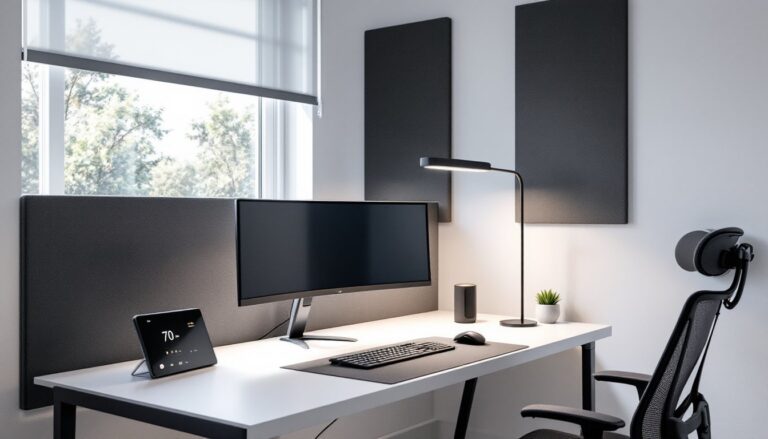
Acoustic treatment matters in shared spaces. Hard surfaces (wood floors, drywall, glass windows) bounce sound. If both users are on calls, add a fabric area rug (at least 5 by 7 feet), curtains, and a few soft furnishings like a cushioned chair or acoustic panels. Cork boards and pegboards also absorb some sound while adding function.
Lighting balance prevents headaches. Overhead lighting should be on a dimmer switch. Each desk needs its own task light with at least 500 lumens and adjustable arms to prevent screen glare. LED bulbs in the 3000–4000K range mimic daylight without the harsh blue tint of cheaper LEDs. Avoid floor lamps in walkways, they’re trip hazards.
HVAC and climate control: Two people generate more heat, especially with multiple monitors and laptops running. If the room feels stuffy, check that HVAC vents aren’t blocked by furniture. A ceiling fan or small desk fan improves air circulation without the energy cost of cranking the AC. In winter, make sure desks aren’t blocking baseboard heaters or radiators, keep a 12-inch clearance per manufacturer specs and local fire codes.
Wall color and decor: This is less critical than the structural stuff, but it’s not nothing. Light, neutral walls (white, light gray, soft beige) reflect more light and make small rooms feel larger. If one user prefers bold color, paint an accent wall behind their desk rather than the whole room. Avoid busy patterns or high-contrast wallpaper, subtle texture works better for focus. According to Apartment Therapy, cohesive color schemes in shared workspaces reduce visual fatigue over time.
Personalization without chaos: Let each user claim their zone with personal items, but set limits. One small bulletin board or pegboard per desk, one plant, one photo frame. Too much tchotchke creates clutter, which studies link to increased stress and decreased productivity. Keep surfaces as clear as possible, papers and supplies go in drawers or vertical organizers, not piled on the desk.
Accessibility and ergonomics: If either user has mobility concerns or works long hours, invest in proper ergonomics. Monitor tops should sit at or slightly below eye level, keyboards at elbow height, and feet flat on the floor or a footrest. Ergonomic chairs with lumbar support start around $200 for decent models: avoid the $50 big-box specials that collapse in six months. A standing desk converter (around $150–$300) is a reasonable alternative to a full motorized standing desk if budget is tight.
Finally, don’t overlook the door. If the office lacks one, consider adding a solid-core door for sound isolation, especially if the rest of the household is active during work hours. Hollow-core doors are cheaper but offer minimal acoustic benefit. Installing a door is usually straightforward for anyone comfortable with a drill and a chisel, though pre-hung units make the job faster. When planning broader changes to the space, thinking about furniture arrangement throughout the home can help maintain flow and functionality in adjacent areas.
A two desk home office isn’t a one-size-fits-all project, but it’s far from impossible. Measure carefully, plan for power and lighting, choose a layout that matches how the space will actually be used, and don’t skip the details that make a room comfortable for the long haul. Done right, both users get the dedicated workspace they need without compromise.